Need help?
Do you have a question about the Avaya 4412D+ and is the answer not in the manual?
Describes phone buttons for making/receiving calls and their configurations.
Guidelines for speakerphone use, mute, and meanings of line button light indicators.
Defines audible tones and ringing patterns for call status and alerts.
Procedures for initiating and responding to outside and inside calls.
Methods for transferring calls, to voice mail, and placing calls on hold.
Steps to set up, manage, and end conference calls.
How to use features, program feature buttons, and program features onto buttons.
Explains special dialing characters and headset operation.
Details Call Waiting, Camp-On, Drop, HFAI, Paging, Park, and Pickup.
Covers Coverage, Follow Me, Forward, Direct Voice Mail, Account Codes.
Explains Auto Dial, Saved Number Dial, Directory, and Personal Speed Dial.
Covers Language, Privacy, Posted Messages, and Reminders.
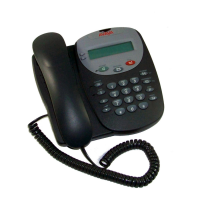
Compares feature name abbreviations between 2-line and 7-line displays.
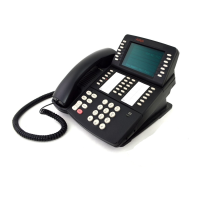
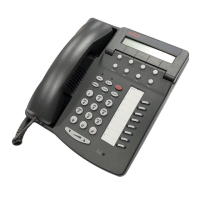
Details the displays for 4406D+, 4412D+/4424D+, and 4424LD+ telephones.
This document serves as a User's Guide for Avaya 4406D+, 4412D+, 4424D+, and 4424LD+ Telephones, providing comprehensive instructions on their operation, features, and programming.
The Avaya 4400-Series telephones are designed for business communication, offering a range of features for handling internal and external calls, managing conferences, and utilizing various programmable functions. These telephones support both speakerphone and handset operation, with specific models offering advanced display capabilities and directory functions.
The user guide differentiates between models primarily based on their display capabilities:
LINE for outside lines and EXT for extension or Intercom numbers.Spkr.Mute. The Speakerphone/Mute LED flashes when muted and returns to steady when unmuted.Spkr is pressed.Line, then Spkr, lift handset, or use headset. Dial 9 if required.EXT, then Spkr, lift handset, or use headset. Dial extension.Spkr, lift handset, or use headset.HFAI button to respond to voice-signaled intercom calls without lifting handset.Trnsfr, dial extension/outside number, announce (optional), hang up. To cancel, press button next to flashing green light.Trnsfr, press programmed AutoDial button, announce (optional), hang up.AutoDial button.Feature, then 56.Direct Voice Mail button.Direct Voice Mail from display (4406D+ cannot select from display).Hold. To retrieve, press line button next to fast-flashing (user-placed) or slow-flashing (other extension-placed) green light.Conf.Conf again.Drop button, then line button of party to drop (4400-Series requires programming a Drop button).Hold.Feature and select from display (not 4406D+), navigate with > or < buttons, or press Feature and dial code, or press line button programmed with feature.EXT, lift handset, enter programming mode (#00), press labeled button, press *20, exit programming mode (#*00).EXT, lift handset, enter programming mode (#00), press labeled button, dial appropriate programming code and additional numbers, repeat for other buttons or exit (#*00).Hold: Inserts 1-5 second pause (P on display).Conf: Sends switchhook flash (F on display).##: Signals end of dialing sequence for Auto Dial or separates grouped digits.Trnsfr: Halts dialing sequence for system response (requires manual restart).Headset Status to switch between headset and handset.
EXT + lift handset + #00 + Headset Status + *782 + #*00.Headset/Hangup to disconnect a call (programmed by System Manager).*11.**11.Feature (or #) + 87.Feature (or #) + 57.EXT + lift handset + #00 + Camp-On + *57 + #*00.EXT + lift handset + #00 + Drop + *787 + #*00.EXT + lift handset + HFAI + #00 + *779 + #*00.Trnsfr, dial own extension (hear busy tone), press Trnsfr.EXT + lift handset + #00 + Park + *86 + #*00.Pickup + ext. number (or line number).Feature (or #) + 9 + ext. number.EXT + lift handset + #00 + Pickup + *9 + #*00.Feature (or #) + 9 + ext. number.EXT + lift handset + #00 + Pickup + *9 + ext. number + #*00.Feature (or #) + 9 + line number.EXT + lift handset + #00 + Pickup + *9 + line number + #*00.Feature (or #) + 88.EXT + lift handset + #00 + Pickup + *88 + #*00.EXT + lift handset + #00 + Coverage Off + *49 + #*00.EXT + lift handset + #00 + EXT + **48 + #*00.EXT + lift handset + #00 + EXT + *48 + #*00.EXT + lift handset + #00 + Coverage VMS Off + *46 + #*00.Feature (or #) + 56 + extension number (or Auto Dial).EXT + lift handset + #00 + DVM + *56 + #*00.Feature (or #) + 34 + sending extension's number.Feature (or #) + 33 + extension number.Feature (or #) + 33 + code (usually 9) + outside number + ##.Feature (or #) + 33 + user's extension.Feature (or #) + *34 + sending extension number.Feature (or #) + *34*.Feature (or #) + 82 + code + #.EXT + lift handset + #00 + ACE + *82 + #*00.Feature (or #) + 80 + code + #.EXT + lift handset + #00 + Auth Code + *80 + #*00.EXT + lift handset + #00 + AutoDial + *22 + extension number.EXT + lift handset + #00 + AutoDial + *21 + number.EXT + lift handset + #00 + Save # + *85 + #*00.Menu + Directory (Dir) + Ext Dir (or System Dir) + Select range, then press button next to listing to dial.Menu + Directory + Personal Dir + Enter New + Type 11-char name + Enter + Enter number + Enter + Respond to prompt + Enter + Exit.Menu + Directory + Personal Dir + Edit Dir + Choose item (Replace Name, Replace Num, Replace Tag) + Select entry + Enter new info + Enter + Exit.Menu + Directory + Personal Dir + Put on Home + Select range + Select entry + Select Delete (Cancel exits without change) + Exit.Menu + Directory + Personal Dir + Put on Home + Select range + Select entry + Select Home screen location + Select Continue + Exit.Directory + Press button next to listing.Menu + Next Page twice + Select letter range + Press appropriate line button + Press button next to listing.EXT + lift handset + #00 + # + list number (01-24) + *21 + number + #*00.EXT, press Feature, dial two-digit code (01-24).Feature button, then dial 790 (English), 791 (Canadian French), or 792 (Latin American Spanish).EXT + lift handset + #00 + DND + *47 + #*00.Feature (or #) + 31.Feature (or #) + *31.EXT + lift handset + #00 + Privacy + *31 + #*00.Inspect button, then line button for incoming call.EXT + lift handset + #00 + Inspect + *778 + #*00.EXT + lift handset + #00 + EXT + *32 + ring (1-8) + #*00.Menu + Posted Msg (Post) + Select message from display.Menu + Posted Msg (Post) + Cancel + Exit.Posted Message button (with LEDs).
EXT + lift handset + #00 + Posted Message + *751 + #*00.Posted Message + dial code (01-20).Posted Message + dial 00.Feature (or #) + 81 + time (4 digits, e.g., 0130) + 2 (A.M.) or 7 (P.M.).Feature (or #) + *81.The guide does not explicitly detail maintenance features in a dedicated section. However, the programming instructions for various features imply that system administrators (System Managers) are responsible for initial setup and certain advanced configurations, such as programming Headset/Hangup buttons, determining access to outside numbers for call forwarding, and setting up custom posted messages. Users are directed to consult their System Manager for these specific needs. The ability to program buttons and features allows for customization and adaptation to individual user and organizational requirements, which can be considered a form of user-level "maintenance" or configuration.


 To Next Page
 General