DESCRIPTION
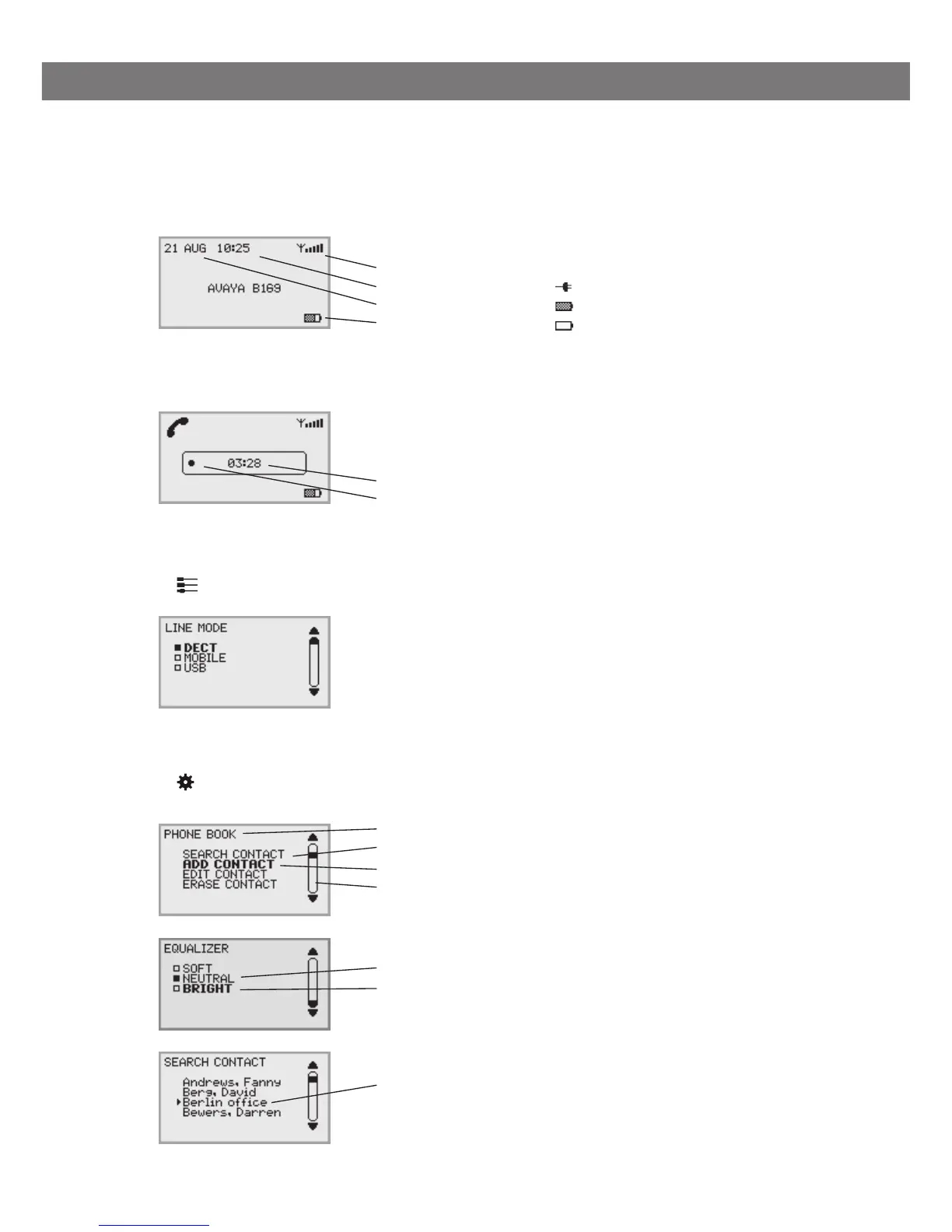
DISPLAY SCREEN
On Hook
Off Hook
Connectivity menu
Press to switch to and from this menu.
Menu
Press to switch to and from a menu.
Current menu
Submenu
Marked option – open by pressing OK button
Scrolling list
(indication of where the marked option is in the list or menu)
List of setting options:
Existing settings
Marked option – select by pressing OK button
List of names:
Marked name – select by pressing OK button
Call duration
Recording indicator
Signal strength DECT
Date
Time
Battery charging
Mains connected
Fully charged
< 1 hr talk time



 To Next Page