- 23 -
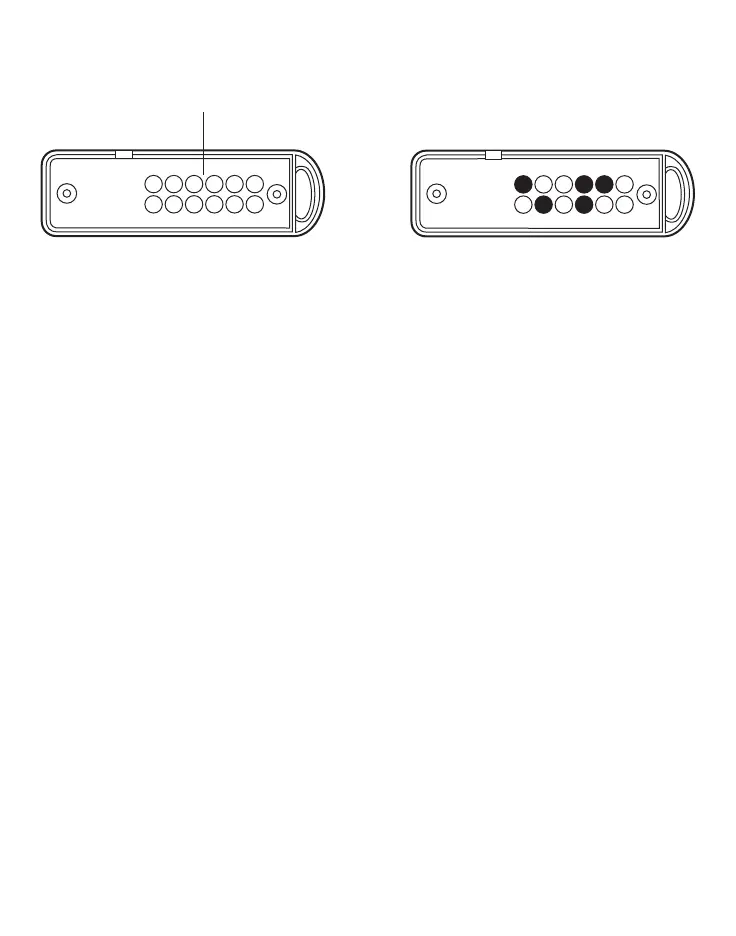
• Programming consists of randomly positioning a maximum of 9 conductive discs (supplied with the
key) into their seats. Programming permits up to 4017 combinations..
Once the key code has been customised, it must be stored in the control panel according to the following
learning procedure.
• Set the AF53904 Control panel to OFF using the mechanical key.
• slide the electronic key into the AP and keep it in this position until the green LED switches on for 2 s:
now the key-code is stored.
• turn the control panel ON with the mechanical key.
All the keys coded as the one used in the learning procedure above are automatically enabled to work.
In the event the control panel battery is changed, the key-code is erased and must be programmed again.
Note: When the control panel mechanical key is in the OFF position all remote controls are overridden.
Operation
Once the code has been programmed and stored as shown in the previous chapter, the following opera-
tions can be performed from the activation point:
1) Full connection of the system
Insert and remove the key. The green LED L1 switches on continuously to indicate "system connected".
2) Partial connection of the system
• Insert the key into the AP and keep it in position for 2 s. until the three LEDs switch on at the same
time.
• Remove the key and wait for the three LEDs flashing on in sequence. They indicate:
– L1: zone A (A1 and A2)
– L2: zone B
– L3: zone C
• When each LED flashes, the related zone can be connected by simply inserting the key into the AP. If
the key is not inserted when the LED flashes, it switches off to signal that the zone concerned has been
excluded.
• If, during the partial connection sequence, the key is never slide in, the system will be fully excluded
and therefore to connect the desired zones the sequence must be repeated.
• During and after the operation the LEDs of the zones enabled remain on and those excluded remain off.
This status of the AP enables the user to make sure if the system has been zoned as desired.
• 60 s later, (if zone A was excluded) only the green LED switches on or remains on indicating "system



 To Next Page