39
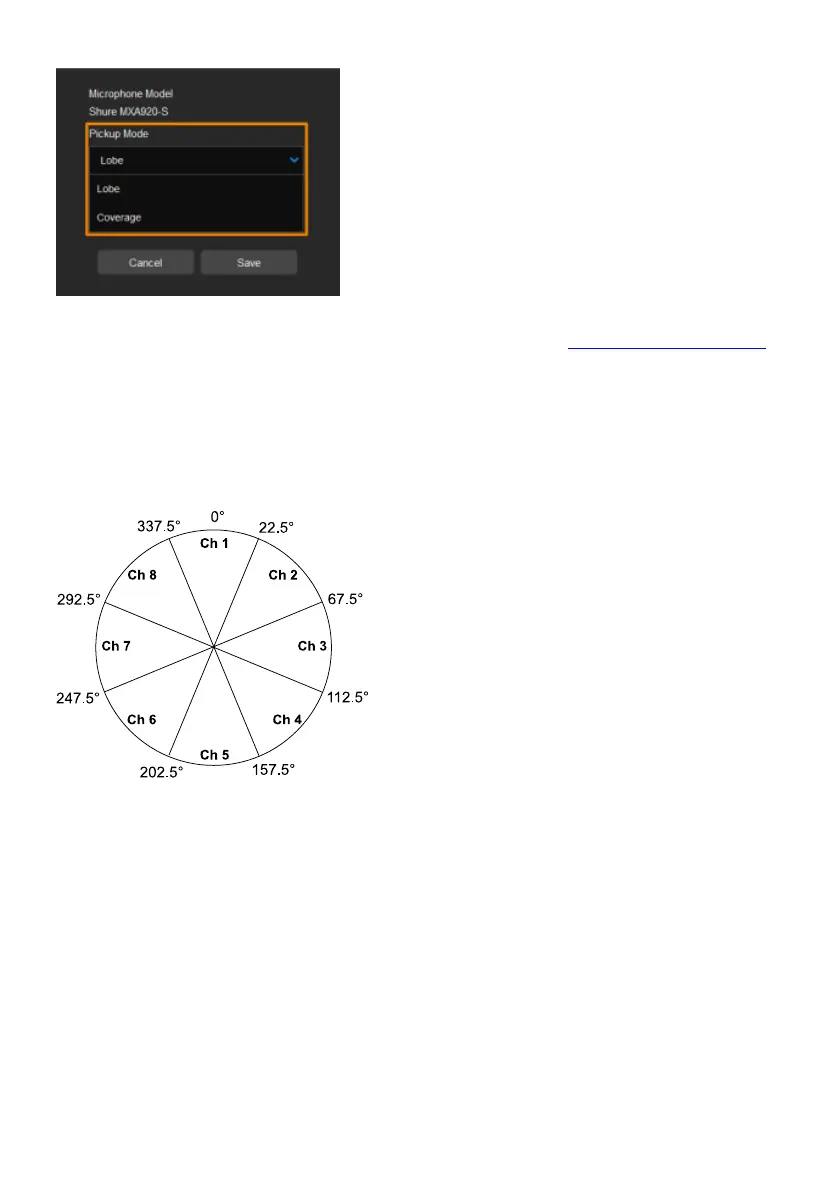
6. Select a Pickup Mode from the drop-down list:
Lobe: The lobes you have positioned in the
MXA920's web application. They
correspond to MT300 channel 1-8.
Coverage: The coverage areas you have
added in the MXA920's web application.
They correspond to MT300 channel 1-8.
7. To integrate with supported AVer camera
tracking system via active talker positions,
please refer to <Auto Mode (Active Position)>.
Yamaha
RM-CG Ceiling Array Microphone
MT300 divides RM-CG’s horizontal angles into 8
equal parts, which correspond to MT300 channel
1-8.
RM-TT Tabletop Array Microphone
RM-CR Remote Conference Processor
RM-W Wireless Microphone System
1. MT300 voice tracking function requires linking more than one RM-TT or RM-W microphones for
location data.
2. If you link these microphones to the RM-CR Remote Conference Processor, enter the processor’s
IP address in the IP Address field when adding microphones in MT300.


 To Next Page