38
MXA920 Ceiling Array Microphone
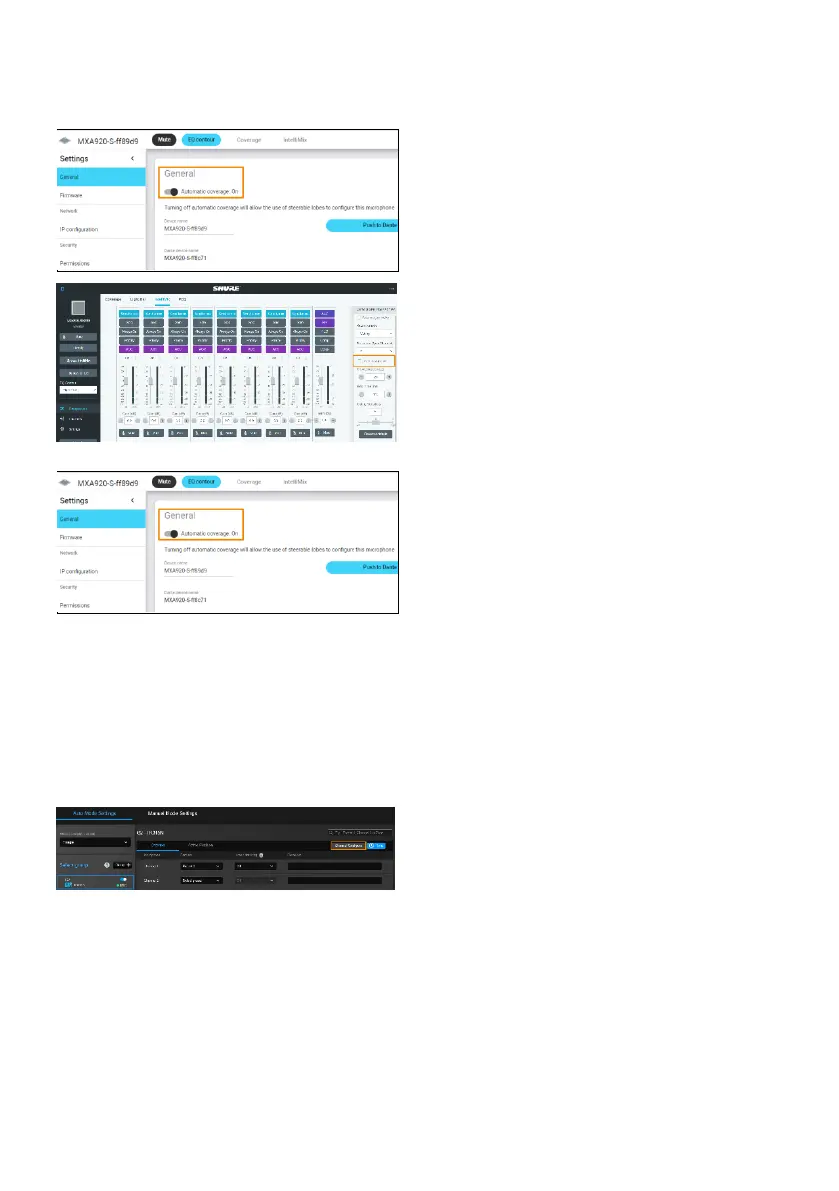
To manually position up to 8 lobes:
1. Go to Settings > General > Automatic
coverage.
2. Turn off Automatic coverage.
3. Go to IntelliMix > Automixer Properties >
Deselect Leave last mic on.
To add a mix of up to 8 dynamic and dedicated
coverage areas:
1. Go to Settings > General > Automatic
coverage.
2. Turn on Automatic coverage.
The default setting is a 30 by 30 foot (9 by 9
meter) dynamic coverage area.
3. To add more coverage areas, go to Coverage
> Add coverage.
4. Go to Auto Mode Settings > Channel.
5. Click Channel Configure to choose a Pickup
Mode.


 To Next Page