33
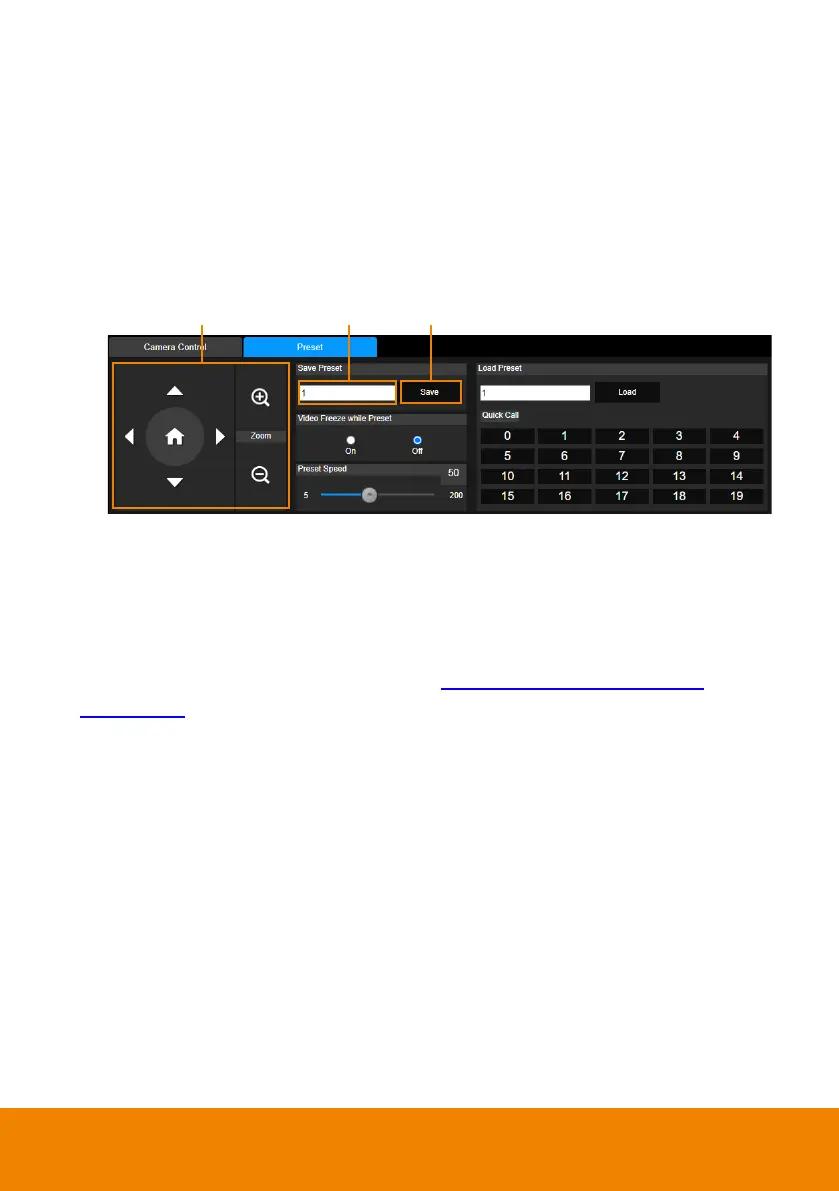
3. On the Live View page, click the
Preset
tab on the bottom panel to set up
preset positions.
To set up preset positions:
i. Enter a preset number in the
Save Preset
input box.
ii. Use the direction and zoom in/out buttons to move the camera view
to the desired position.
iii. Click the
Save
button to save this position.
[Note]
Each camera’s web setting page may vary. Please refer to camera’s user
manual for more details.
You can set up to 256 (0~255) preset points.
4. After setting up the preset positions, you can pair the preset positions with the
connected microphone. Please refer to <
Pair Up Preset Positions with
Microphone>.



 To Next Page
 Loading...










