7
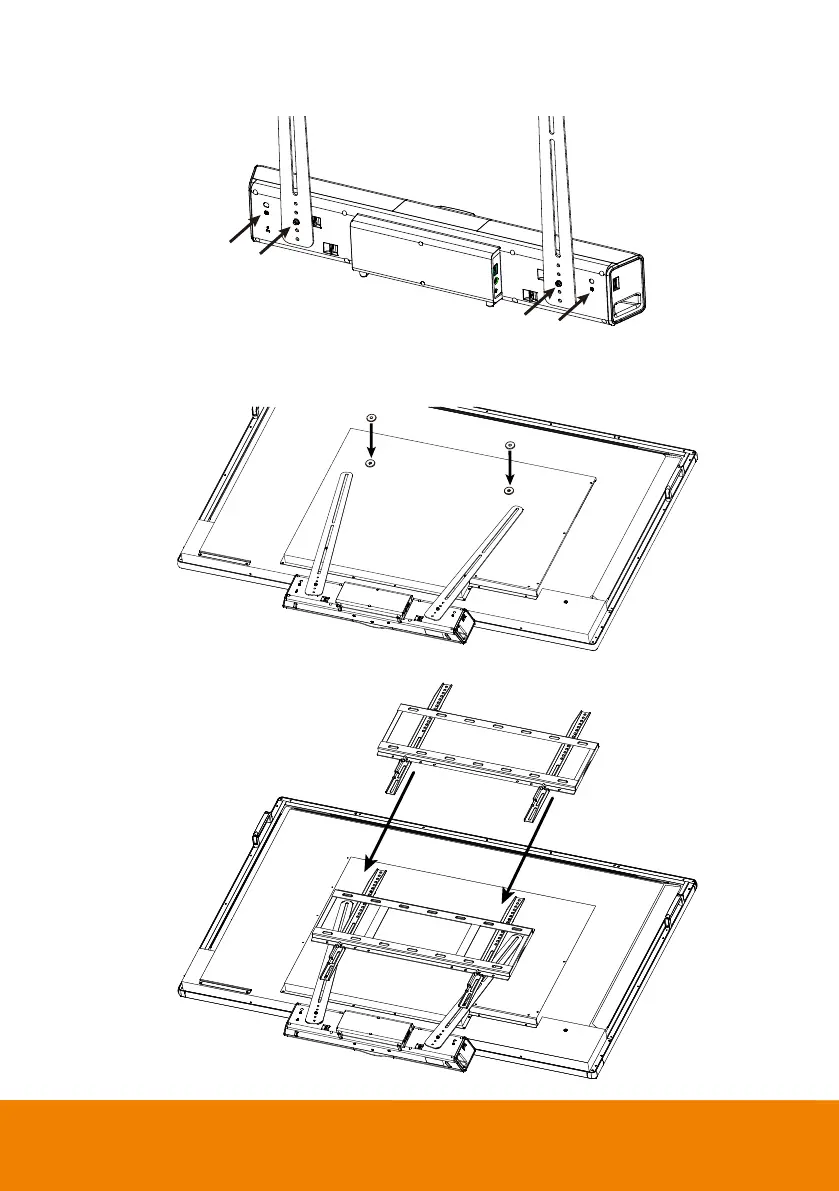
2. Secure the fixture on the rear side panel of the camera. Don’t screw tight at this stage. You can
select among the four screw holes for screwing the fixtures.
3. Place the metal washers on the mount holes of TV.
[Note] If users do not need to install the mount rack of TV, just skip step 3 to 5 and go to step 6.
4. Place mount rack of TV on top of fixture.



 To Next Page