4
Chapter 3 TVChapter 3 TV
The AVerTV USB Application
The AVerMedia AVerTV USB application allows you to watch TV
or video, play music CDs on your PC while you work on your
computer.
Watching TV
To watch TV or video on your computer monitor, run AVerMedia
AVerTV USB from the program menu.
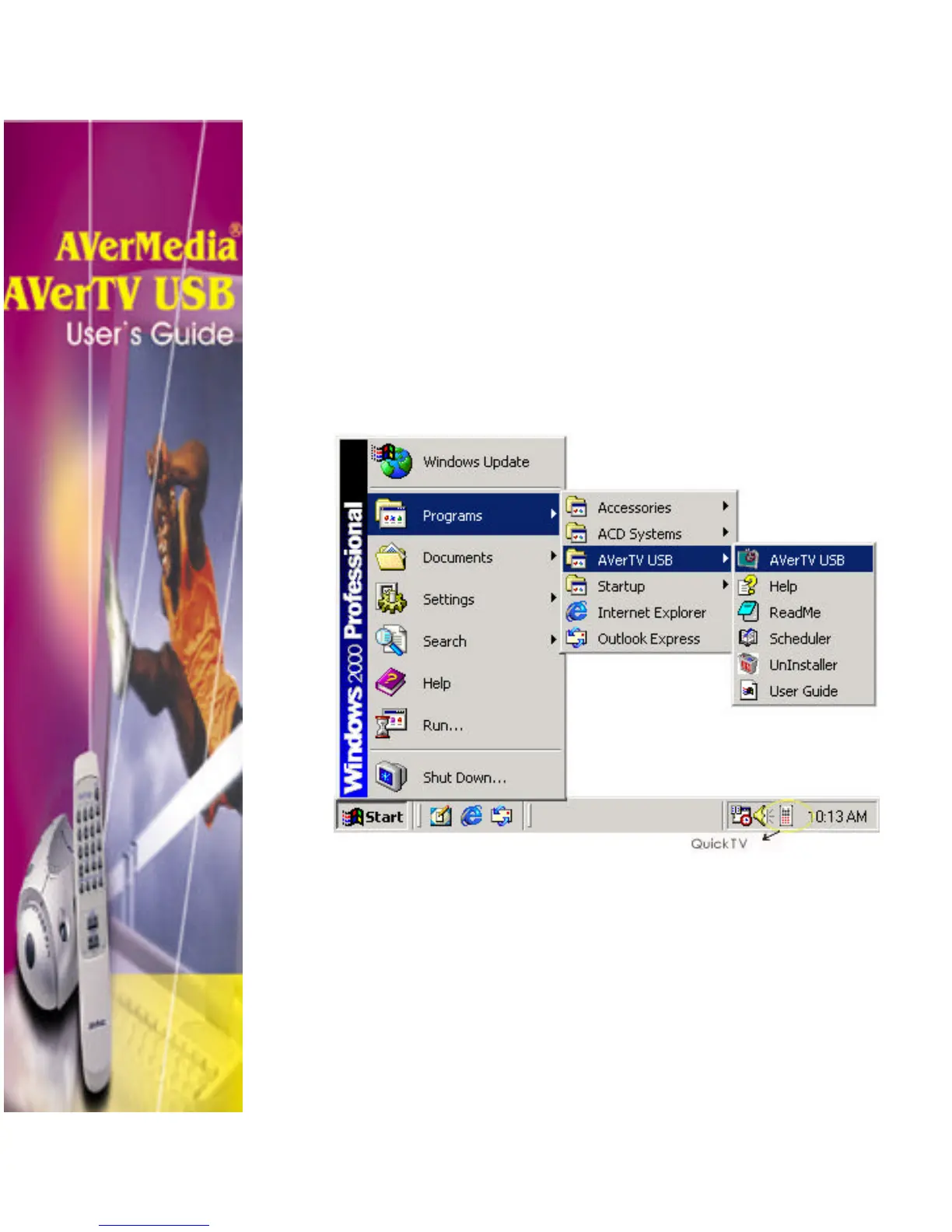
To run the application, Click “Start”, select “Programs”. From
the program menu choose “AVerTV USB”, then click “AVerTV
USB”. Or simply double-click the Quick TV launcher located at
the lower right corner of the screen.












 To Next Page