English-4
2.1 Touch Button Control Panel
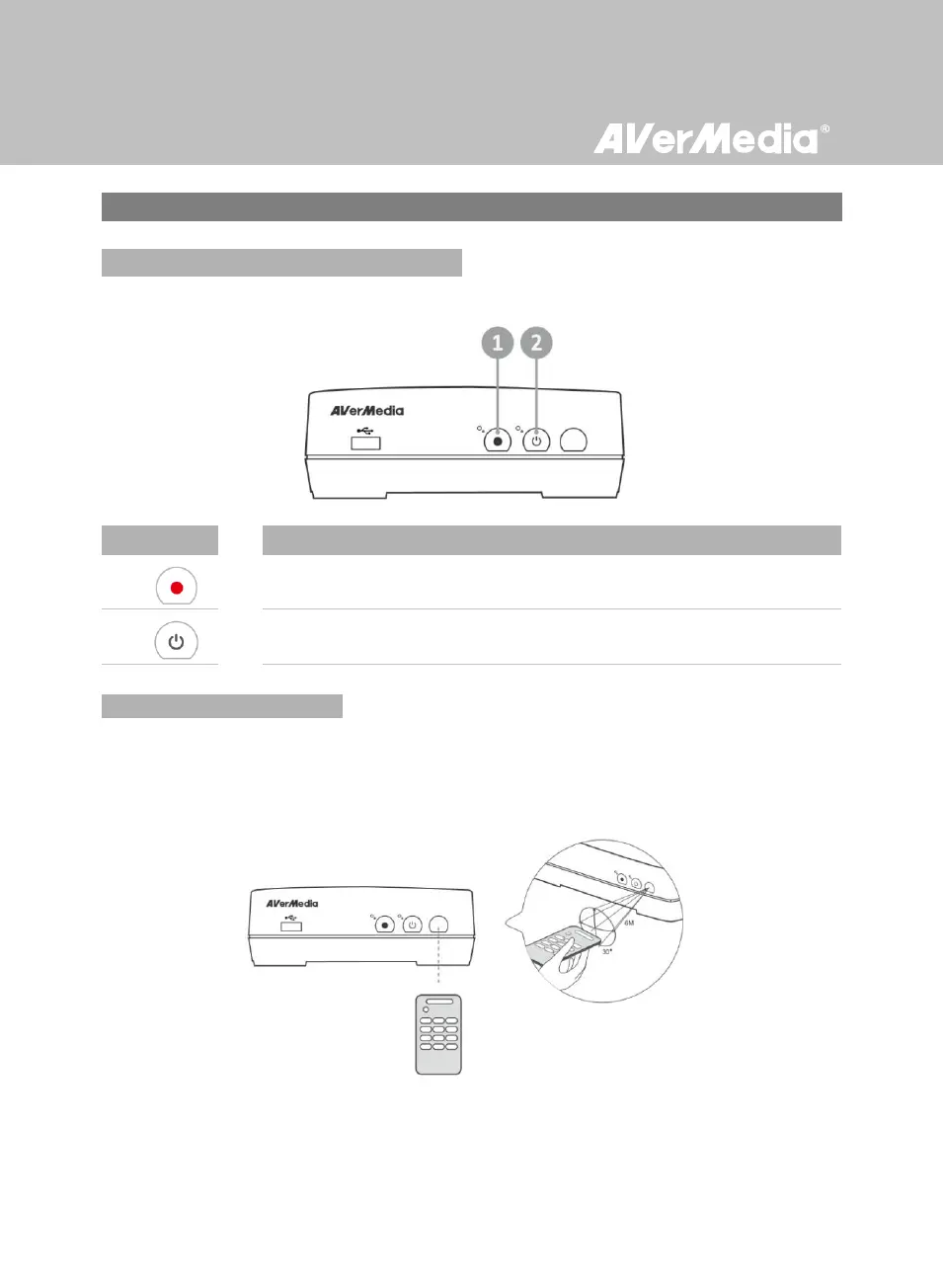
The touch button panel found on the front of the unit provides quick access to commonly used
functions
Record
Press to start / stop recording.
Power
Press to turn the unit on / into stand-by mode.
When using the remote control, aim it at the infrared (IR) sensor located at the front panel of the unit.
The remote control must be held at an angle within 30 degrees perpendicular to the IR sensor to
function correctly. The distance between the remote control and the sensor should not exceed 6 meters
(20 feet).



 To Next Page