English-22
Step 1
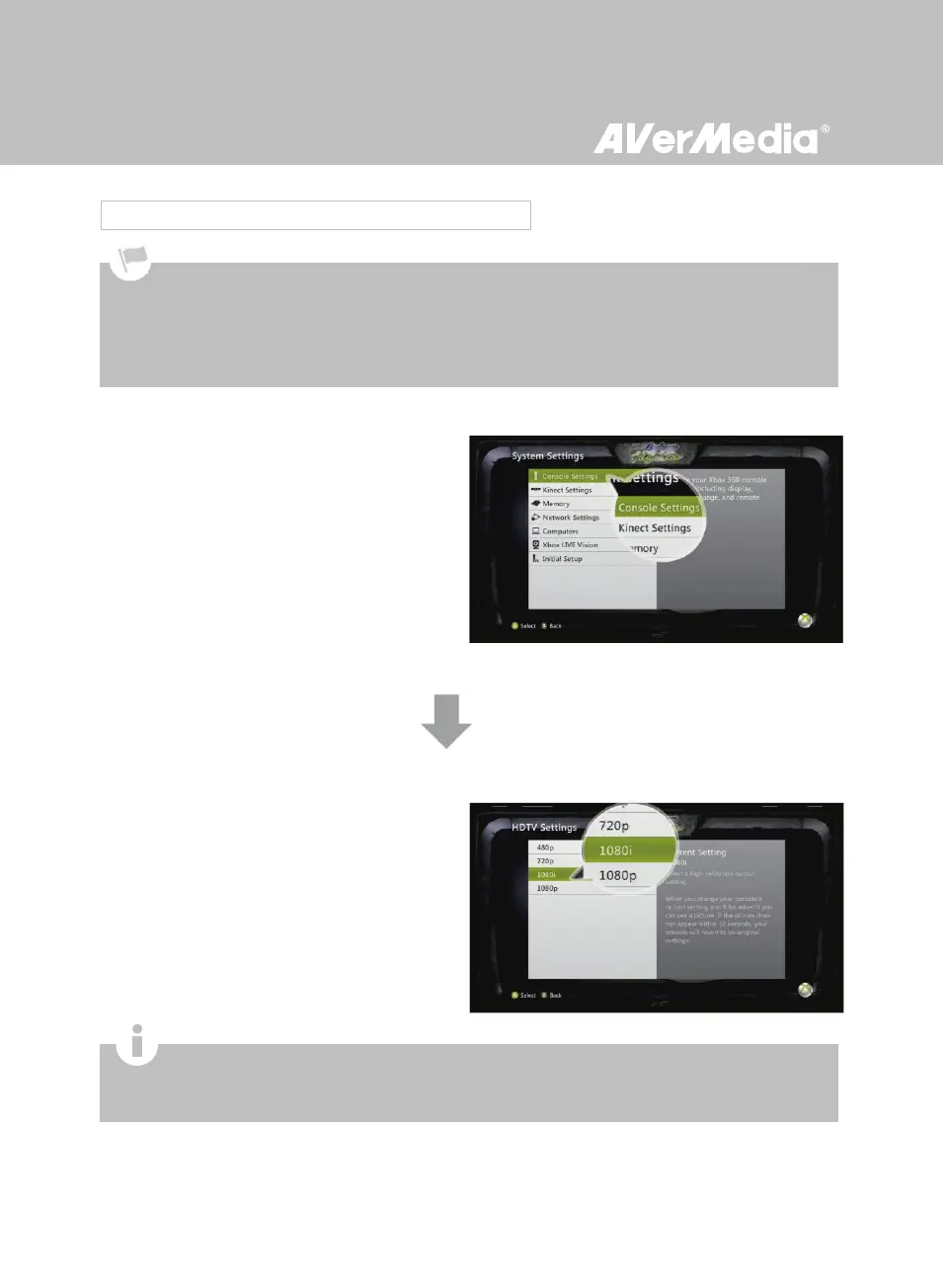
Power on your Xbox.
On your console, go to My Xbox on the
dashboard and scroll all the way to the right to
System Settings.
Then select Console Settings > Display >
HDTV Settings.
Step 2
Adjust the output setting to 1080i or below from
the menu list. Select Yes to confirm the setting.
3.5.2 Video Output Settings for Xbox 360
For more information concerning console’s video output settings, please refer to the setup instruction that
comes with your game console.
Before resetting video output for Xbox, make sure to properly connect Game Capture HD with your Xbox.
Make sure to remove the HDMI cable beforehand, if it was plugged in.
Make sure to power off both Game Capture HD and your Xbox beforehand.
Supported resolutions vary depending on the TV in use. For details, please refer to the documentation that
comes with your TV.



 To Next Page