EasyManua.ls Logo

Avermedia C281 - Device Status and Connectivity; Connection Ports

Avermedia C281
116 pages
Print Icon
To Next Page IconTo Next Page
To Previous Page IconTo Previous Page
Loading...
English-5
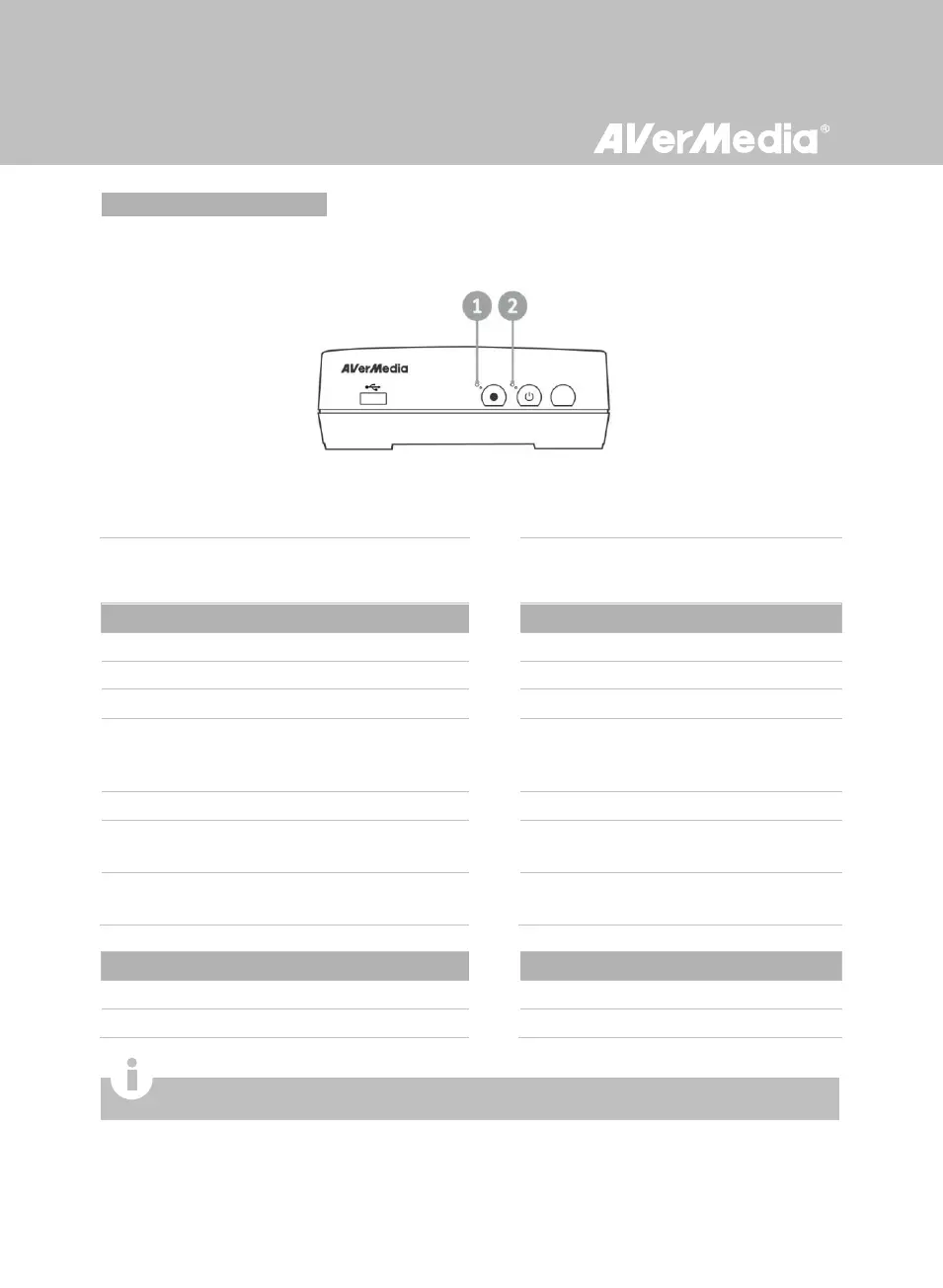
2.3 LED Indicator
The LED indicators on the front of the unit show the device’s status.
1 Red LED indicator
2 Green / Blue LED indicator
While the device is…
The Green/Blue LED indicator…
On (Standard Mode)
Glows solid green
On (Real-time Mode)
Glows solid blue
Off / in standby mode
Lights off
Starting up / Powering off / Upgrading its
firmware
Flashes green continuously
Having problems
Alternates between green and blue
Receiving a remote control signal
(Standard Mode)
Flashes green once
Receiving a remote control signal
(Real-time Mode)
Flashes blue once
While the device is…
The Red LED indicator…
Under recording mode
Flashes red continuously
Accepting a snapshot command
Flashes red once
For the description on Standard Mode and Real-time Mode, refer to p.25.

Related product manuals