English-9
Step 4
Powering on Your Game Console
Power on your game console.
Step 5
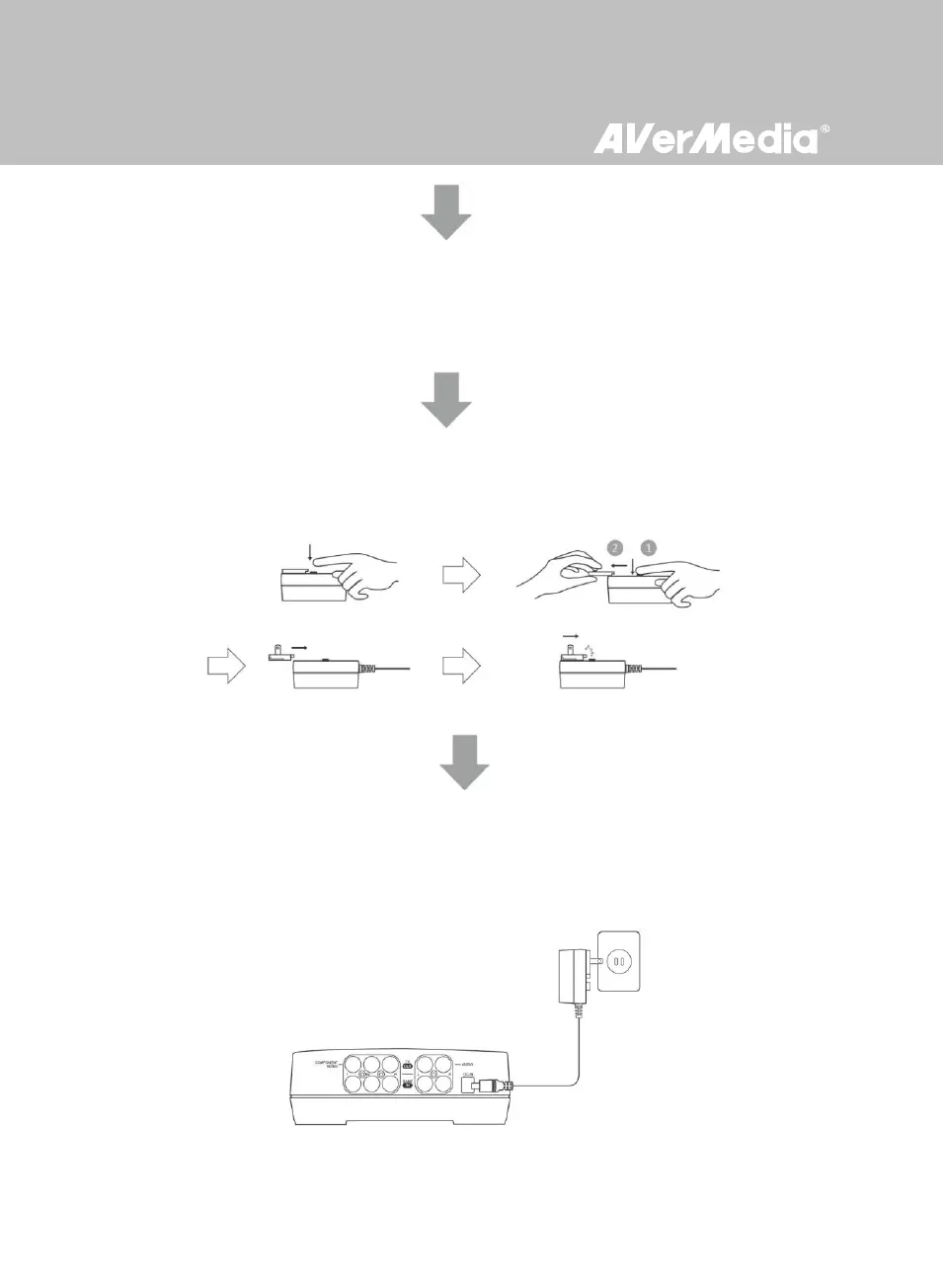
Installing the Power Adapter
Slide the Power Adapter Outlet Module into the groove on the Power Adapter.
Step 6
Connecting the Power Adapter
Connect the Power Adapter connector to the DC-IN port on the rear of the device. Then plug the power
adapter to a wall outlet.



 To Next Page