English-15
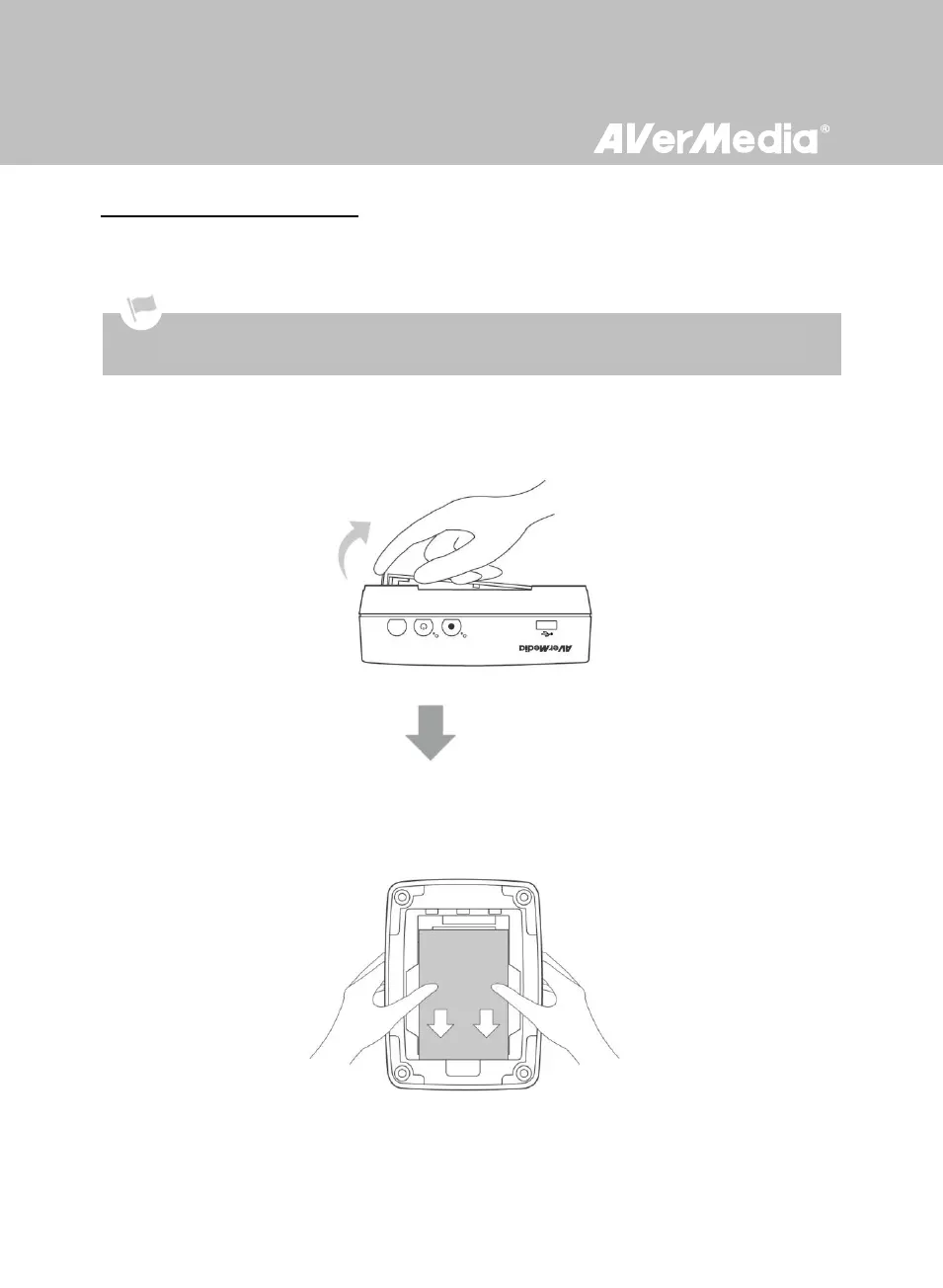
To remove the internal HDD:
Step 1
Removing the HDD Lid
Use your fingertip to flip open the HDD lid, located on the bottom of Game Capture HD.
Lift off the lid and set it aside.
Step 2
Removing the HDD
Pull the HDD out in the direction of the arrow. Then lift the HDD out of the slot.
Removing internal HDD immediately after powering-off may cause personal injury due to heat. Please wait until the
HDD cools down completely (it takes approximately 10 minutes) before any attempt to remove it.



 To Next Page