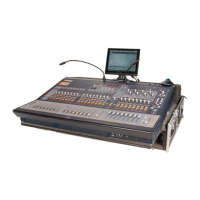
S1 Surface Controls Overview 24
Automation Indicator LEDs
Next to each strip Rec/A switch, and next to each knob In switch, are a pair of automation indicator LEDs.
With each pair, the upper red LED and the lower green LED indicate automation status as shown in the following table.
0 =
unlit
1 =
lit
* =
flashes
The red LED flashes while writing automation. The green LED flashes in Preview mode.
Track (left) and parameter/knob (right) Automation indicator LEDs
Automation Mode Red LED Green LED
Off 0 0
Read 0 1
Touch 1 0
Latch 1 0
Touch/Latch 1 0
Write 1 0
Preview 0 *
Off + Trim 0 1
Read + Trim 0 1
Touch + Trim 1 1
Latch + Trim 1 1
Touch/Latch + Trim 1 1
Write + Trim 1 1


 To Next Page