CRANECO.
280N.MIDLANDAVE.,STE258,SADDLEBROOK,NJ07663WWW.AVIDCONTROLS.COM
12/17/12 TECH-440/D.W.O. 23135 Page 21 of 55
4 Calibration
The SmartCal positioner has an on-board menu structure that can be accessed by
pressing the Cal button. Exit any function by pressing both up and down arrow buttons
simultaneously, anytime during calibration.
4.1 Enter Calibration (Menu Level)
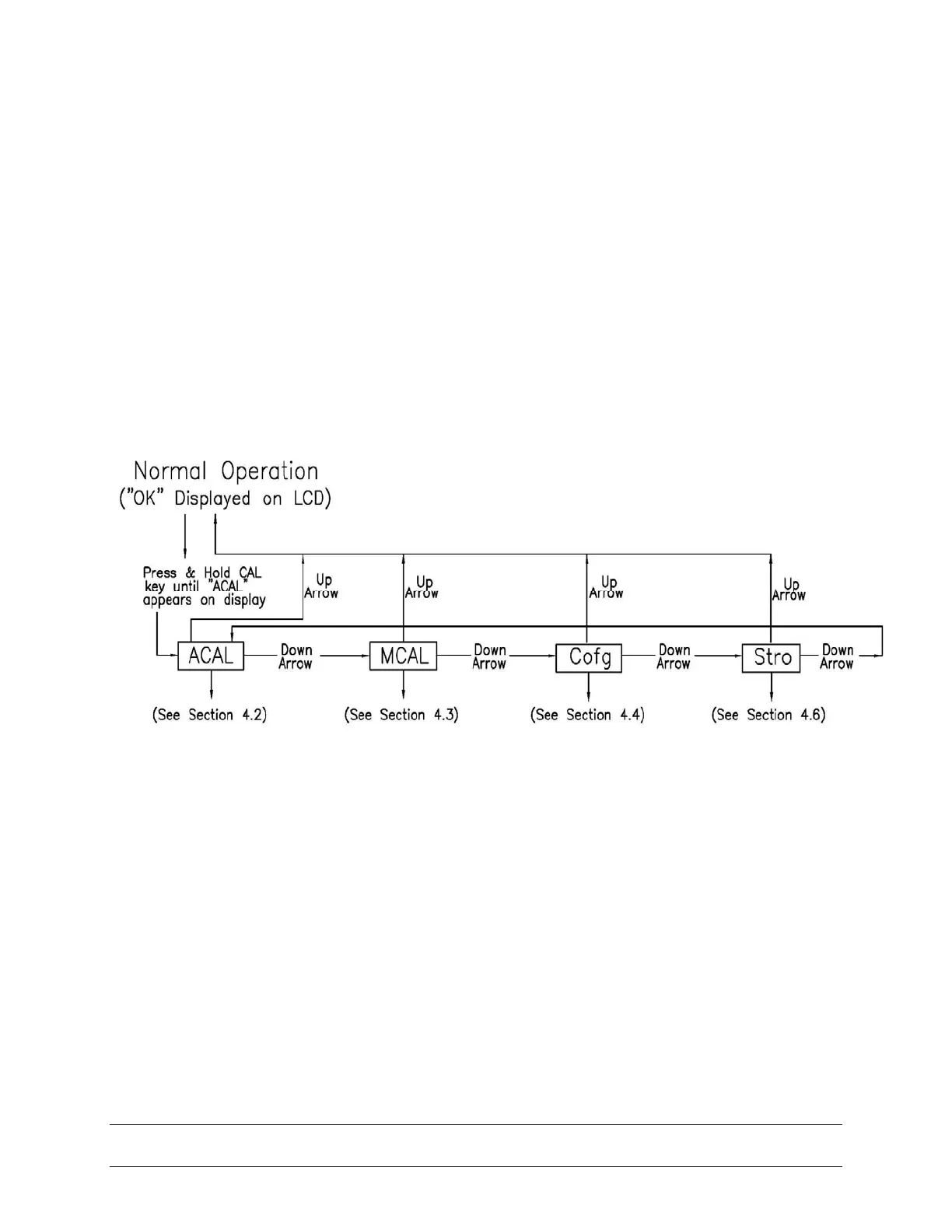
Enter the calibration menu by pushing the CAL button. ACAL (Auto Cal Menu) is the first
of four menus. By pressing the CAL button again you enter go to a lower level menu or
start a routine. Pushing the down arrow button you can cycle through the menus. The
remaining three menus are MCAL (Manual Cal Menu), Cofg (Configuration Menu), Stro
(Manual Position Override Menu). Pushing the up arrow you exit the menu or go to an
upper level menu. The menu level is shown below.


 To Next Page