CRANECO.
280N.MIDLANDAVE.,STE258,SADDLEBROOK,NJ07663WWW.AVIDCONTROLS.COM
12/17/12 TECH-440/D.W.O. 23135 Page 22 of 55
4.2 Automatic Calibration
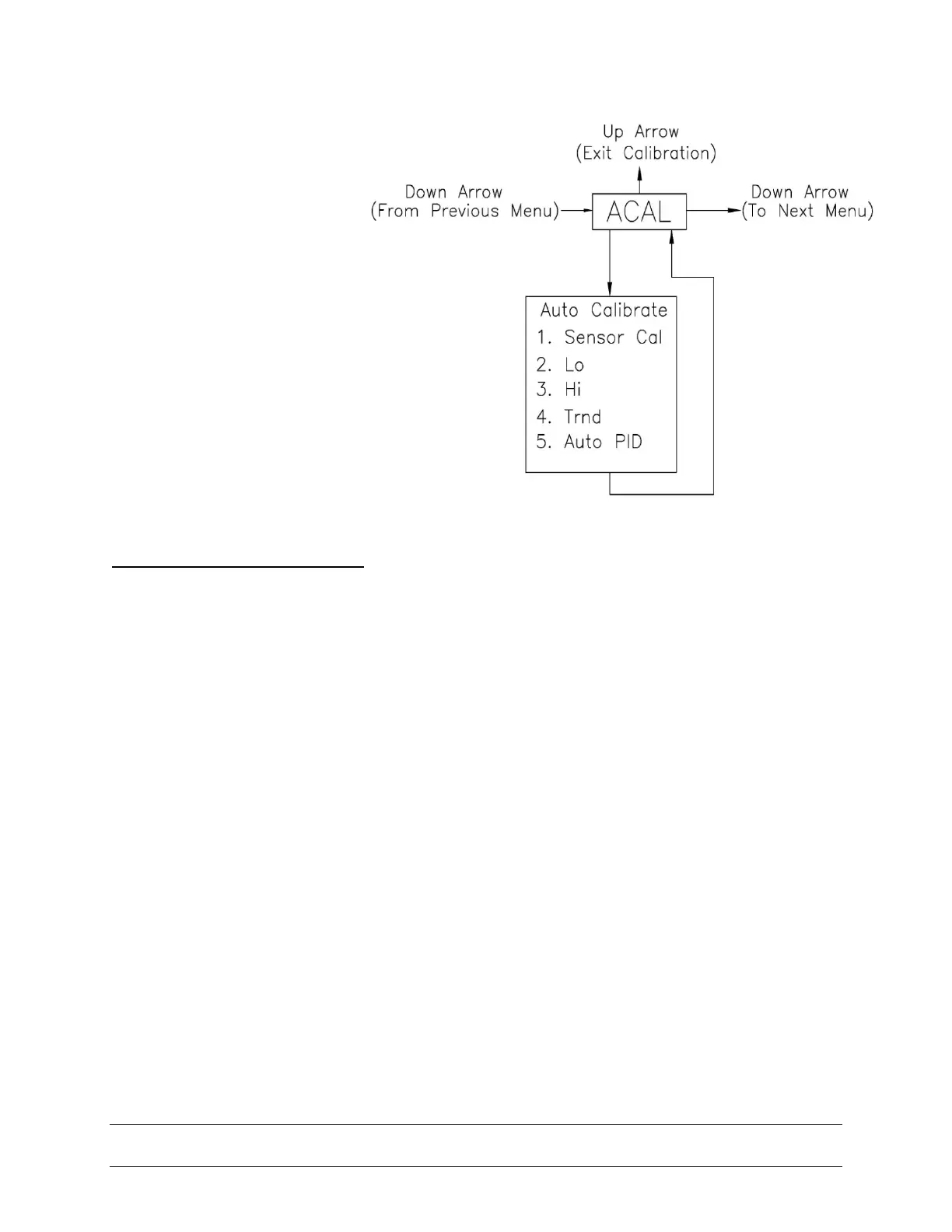
The Automatic Calibration
(ACAL) performs several
self-adjustments, as well as
a zero calibration, a span
calibration, and tunes the
positioner’s PID gain
settings. From the normal
operation screen, press the
CAL button until ACAL is
shown on the display (the
ACAL routine is shown to the
right). Press and hold the
CAL button until it starts the
automatic calibration, of
which the first step in the
sequence is the Sensor
Calibration.
SPECIAL NOTE Flow Capacity:
SmartCal standard flow design is suitable for actuator swept volumes of a minimum 40
inch
3
(0.65 liters) to a maximum of 600 inch
3
(9.80 liters) for proper Auto Calibration
functionality. It should also be noted that this is to be used as a general guideline only.
The actuator/ valve package dynamics would dictate the success of the Auto calibration
routine and could be compromised by the following: instrument air supply, volume
capacity, actuator sizing, tubing size and actuator/valve health.
SmartCal Optional High Flow design is suitable for actuator swept volumes of a minimum
200 inch
3
(3.2 liters) to a maximum of 1000 inch
3
(16.30 liters) for proper Auto Calibration
functionality. It should also be noted that this is to be used as a general guideline only.
The actuator/ valve package dynamics would dictate the success of the Auto calibration
routine and could be compromised by the following: instrument air supply volume
capacity, actuator sizing, tubing size and actuator/valve health.


 To Next Page