CRANECO.
280N.MIDLANDAVE.,STE258,SADDLEBROOK,NJ07663WWW.AVIDCONTROLS.COM
12/17/12 TECH-440/D.W.O. 23135 Page 25 of 55
4.6 Manual Override of Input
Signal (Via On-Board
Keypad)
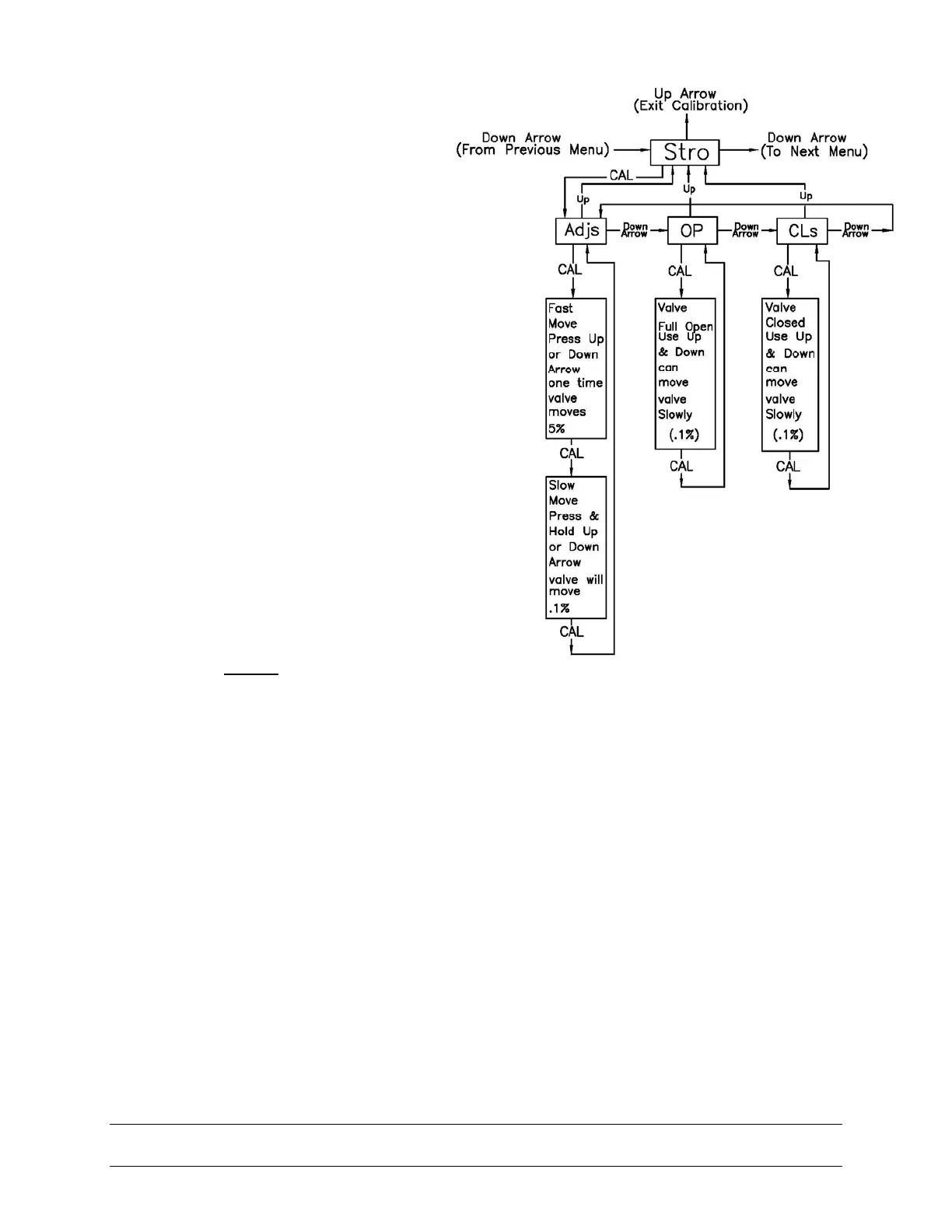
The positioner has a feature which
allows the operator to override the
analog set-point signal and change
valve position from the keypad. This is
done from the Stro (Manual Override-
Stroke Menu). Enter calibration as
described in section 4.1 and use the
down arrow button to cycle to the Stro
menu. Enter this menu and control the
position of the valve as shown below.
4.7 Description of Menus
The calibration functions of the positioner
are organized into the following four
menus:
Menus
• Menu 1: ACAL (Automatic Calibration)
• Menu 2: MCAL (Manual Calibration)
• Menu 3: Cofg (Configuration)
• Menu 4: Stro (Manual Override of Input Signal)
Menu descriptions are as follows:
Menu 1: ACAL (Automatic Calibration)
Entering this menu allows you to initiate an approximately seven minute self-calibration function.
The positioner will automatically enter digital control mode and perform a shallow (input current
independent) calibration in the following sequence:
Function
1. -Snsr- Sensor Calibration
2. -Lo- Low (Zero) Calibration
3. -Hi- High (Span) Calibration
4. -Trnd- Transducer Calibration
5. -Auto- Automatic PID Tuning
Menu 2: MCAL (Manual Calibration)


 To Next Page