Need help?
Do you have a question about the Avidsen YLVA 3+ and is the answer not in the manual?
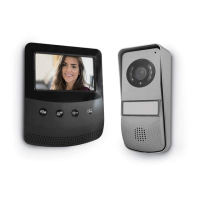
Overview of the video intercom system, its modules, and key features.
Precautions for installation environment and device handling before setup.
Information on proper disposal of electronic waste and its environmental impact.
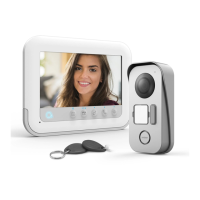
Lists all components included in the product package with quantities and references.
Detailed description and identification of the monitor unit's parts and buttons.
Detailed description and identification of the intercom panel's parts and features.
Information on the wall bracket for mounting and the power supply adapter.
Instructions and guidelines for mounting the outdoor intercom panel.
Instructions for mounting the indoor monitor unit onto its wall bracket.
General guidelines and precautions for wiring the system components.
Specific instructions for wiring the monitor to the intercom panel, including cable length.
Diagrams for connecting multiple monitors, cameras, and families.
Instructions for connecting an electric strike plate with an external power source.
Steps to initialize, add, and deactivate RFID badges for access control.
How to communicate with visitors at the intercom panel.
How to view the visitor or outside area from the monitor without a call.
Using the monitor to control electric locks or automated systems.
How to use the internal communication feature between monitors.
How to adjust various settings like brightness, contrast, volume, and date/time.
How to use RFID badges for unlocking doors or activating controls.
How to view photos of visitors captured automatically by the system.
Detailed specifications for the monitor and intercom panel components.
Information regarding the product's warranty period, terms, and conditions.
Advice and contact information for troubleshooting installation or operating problems.
Procedures and information for product returns and after-sales support.
Regulatory compliance statements and applicable standards met by the product.
 General
| Type | Video Door Phone |
|---|---|
| Screen Size | 7 inches |
| Camera | Yes |
| Night Vision | Yes |
| Power Supply | 12V DC |
| Mounting | Wall-mounted |
| Audio | Two-way |
| Weight | 450 g |

 To Next Page