17
EN
D - USING THE PRODUCT
1 - IDENTIFY AND SPEAK TO THE VISITOR
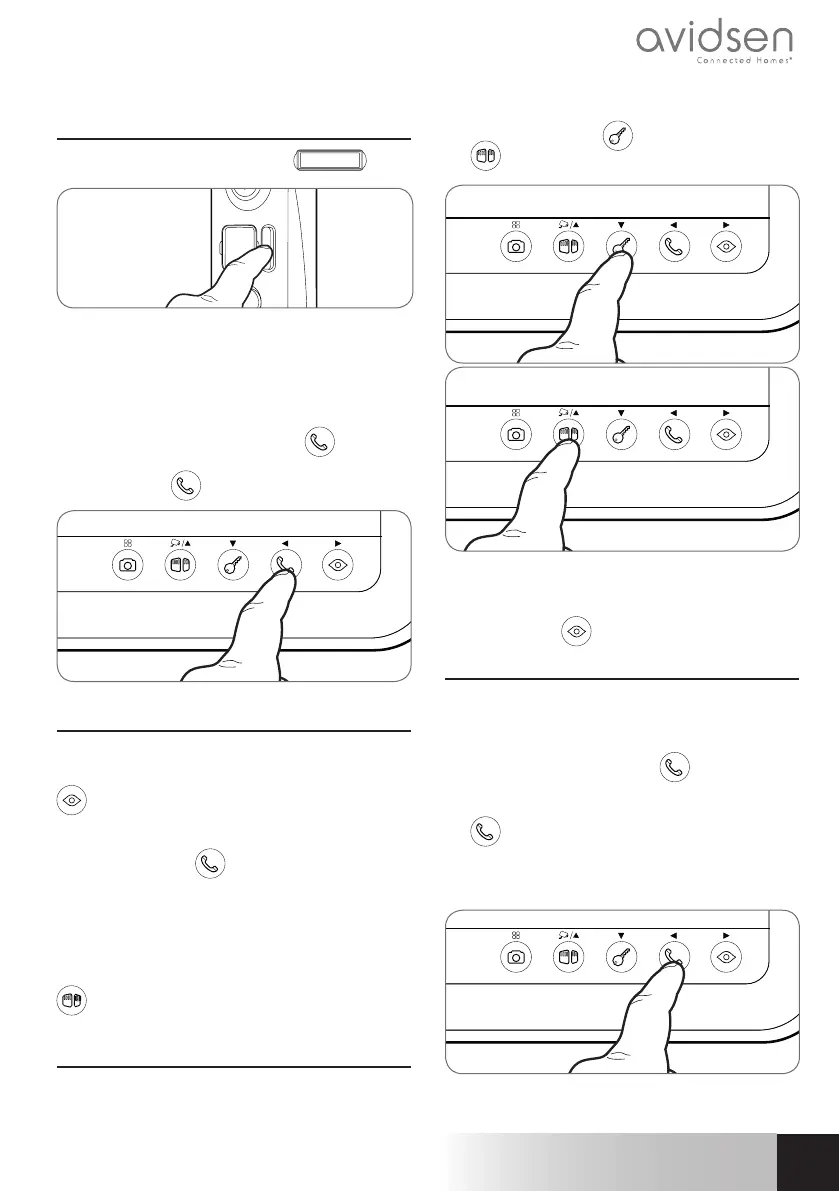
The visitor presses the intercom
Nils Larsson
panel
button:
The chime sounds through the monitor's speaker
and the intercom panel's video camera is activated.
If the visitor is positioned within the camera's field of
vision, their image will appear on the monitor for 120
seconds. After 120 seconds,
the monitor will return to sleep mode.
To speak with the visitor, press the
button. To
end the conversation and deactivate the intercom
panel, press the
button.
2 - ACTIVATE THE INTERCOM PANEL FROM
THE MONITOR
To identify a visitor without them knowing they are
being observed or to simply look outside, press the
button: the view from the intercom panel will
then appear on the screen for 60 seconds.
If you wish to communicate directly with the outside,
press once on the
button when the external
video camera is displayed.
This particularly useful feature allows you to observe
the visitor, even if they haven't pressed button 7 on
the intercom panel.
If an additional camera or intercom panel are
connected, they may be viewed by pressing the
button
3 - OPENING AN ELECTRIC LOCK AND AN
AUTOMATIC CONTROL SYSTEM (OPTIONAL)
If the device is equipped with an electric lock and/
or an automatic control system (see "Connection"
paragraph), press the button (for the lock) or
the
button (for the automatic control system) to
let a visitor enter.
Warning: the screen must be switched on before
the dry contact and powered output controls can
function. If the screen is off, it must be switched on
using the button
4 - INTERCOM FEATURE
You can initiate internal communication with the
secondary monitor (if present) using the intercom
feature. This feature can be used when the monitor
is in sleep mode: Press the
button on the
secondary monitor. You can call the secondary
monitor and vice versa. You can answer by pressing
the
button and communicate for a maximum of
120 seconds. The terminal will then return to sleep
mode.
Communication with the intercom panel has priority.
COLOUR VIDEO INTERCOM 7"


 To Next Page