15
EN
COLOUR VIDEO INTERCOM 7"
3.3.1 - INITIALISATION
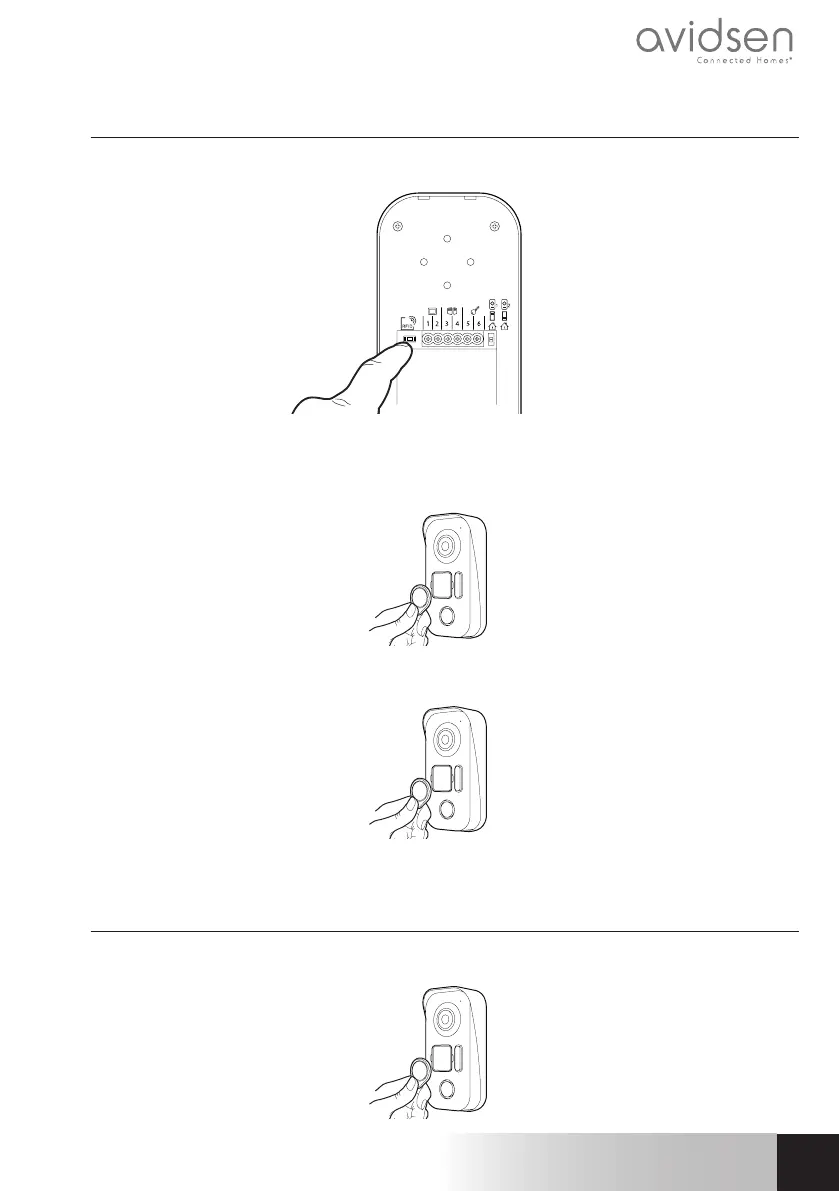
With the video doorkeeper powered on, press on the “RESET” button on the back of the intercom panel.
The intercom panel will beep 4 times.
Within the next 10 seconds, pass the administrator badge (red) in front of the name plate.
Within the next 10 seconds, pass the add badge (grey) in front of the name plate.
3.3.2 - ADDING USER BADGES
Pass the add badge (grey) in front of the name plate.
C - INSTALLATION


 To Next Page