Overview of Premium Security Suite
17
5.1.2 Configuration
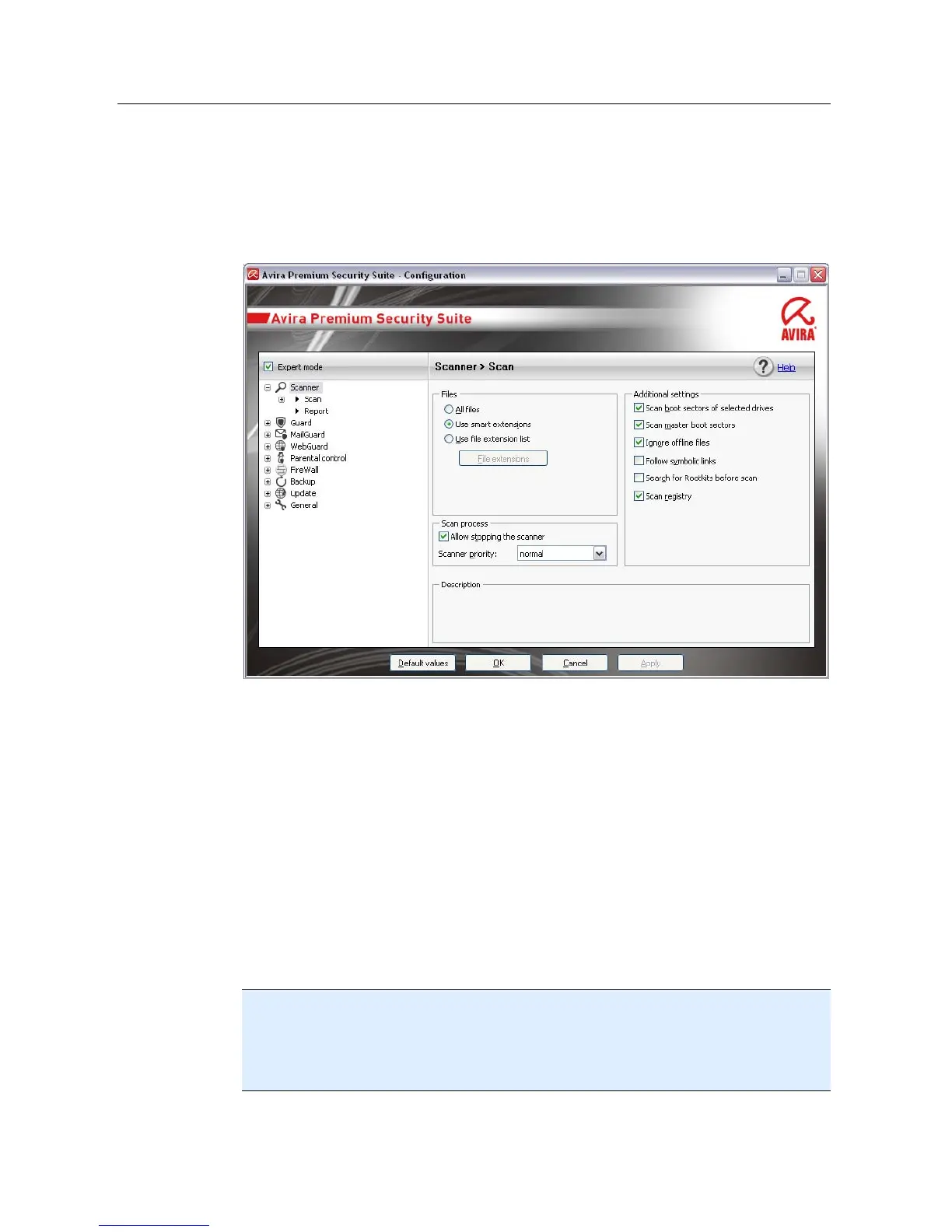
You can define Premium Security Suite settings in the Configuration. After installation,
Premium Security Suite is configured with standard settings, ensuring optimal
protection for your computer system. However, your computer system or your specific
requirements for Premium Security Suite may mean you need to adapt the protective
components of Premium Security Suite.
The Configuration opens a dialog box: You can save your configuration settings via the
OK or Accept buttons, delete you settings by clicking the Cancel button, or restore your
default configuration settings using the Restore defaults button. You can select
individual configuration sections in the left-hand navigation bar.
Accessing the Premium Security Suite Configuration
You have several options for accessing the configuration:
– via the Windows control panel.
– via the Windows Security Center - from Windows XP Service Pack 2.
– via the Avira Premium Security Suite tray icon.
– in the Avira Premium Security Suite Control Center via the menu item Extras |
Configuration.
– in the Avira Premium Security Suite Control Center via the Configuration button.
Note
If you are accessing configuration via the Configuration button in the Control Center,
go to the Configuration register of the section which is active in the Control Center.
Expert mode must be activated to select individual configuration registers. In this case, a
dialog appears asking you to activate expert mode.
Configuration operation



 To Next Page