Avira Premium Security Suite
52
10.3 Windows Security Center
- Windows XP Service Pack 2 or higher -
10.3.1 General
The Windows Security Center checks the status of a computer for important security
aspects.
If a problem is detected with one of these important points (e.g. an outdated anti-virus
program), the Security Center issues an alert and gives recommendations on how to
protect your computer better.
10.3.2 The Windows Security Center and Avira Premium Security Suite
Firewall
You may receive the following information from the Security Center with regard to your
firewall:
– Firewall ACTIVE / Firewall on
– Firewall INACTIVE / Firewall off
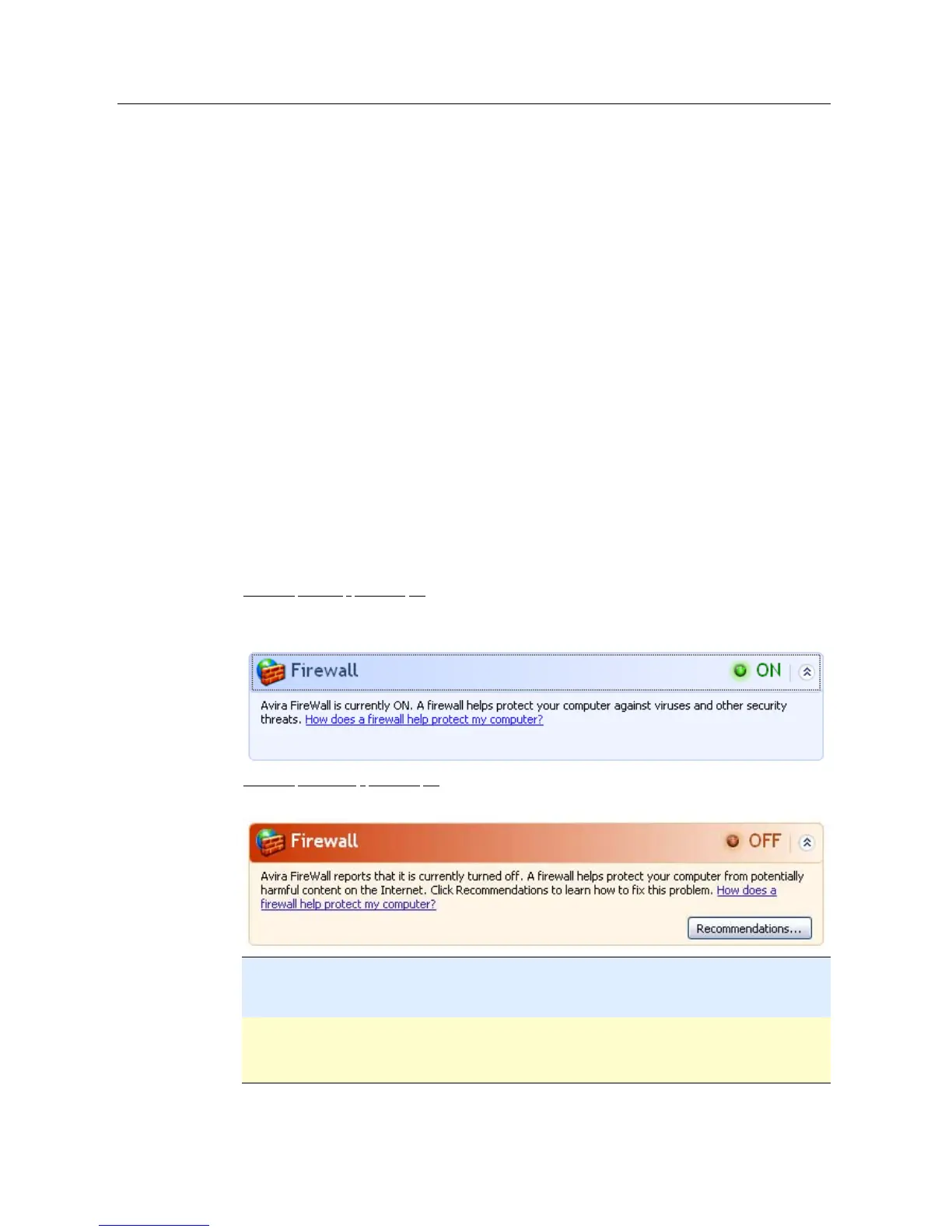
Firewall ACTIVE / Firewall off
After installation of Avira Premium Security Suite and turned off Windows Firewall, you
receive the following message:
Firewall INACTIVE / Firewall off
You will receive the following message as soon as you disable the Avira Firewall:
Note
You can enable or disable the Avira Firewall via the Status tab in the Avira Premium
Security Suite Control Center.
Warning
If you turn the Avira Firewall off, your computer is no longer prevented by unauthorized
users from gaining access to it through a network or the Internet.
Virus protection software / Protection against malicious software



 To Next Page