FAQ, Tips
53
You may receive the following information from the Windows Security Center with
regard to your virus protection.
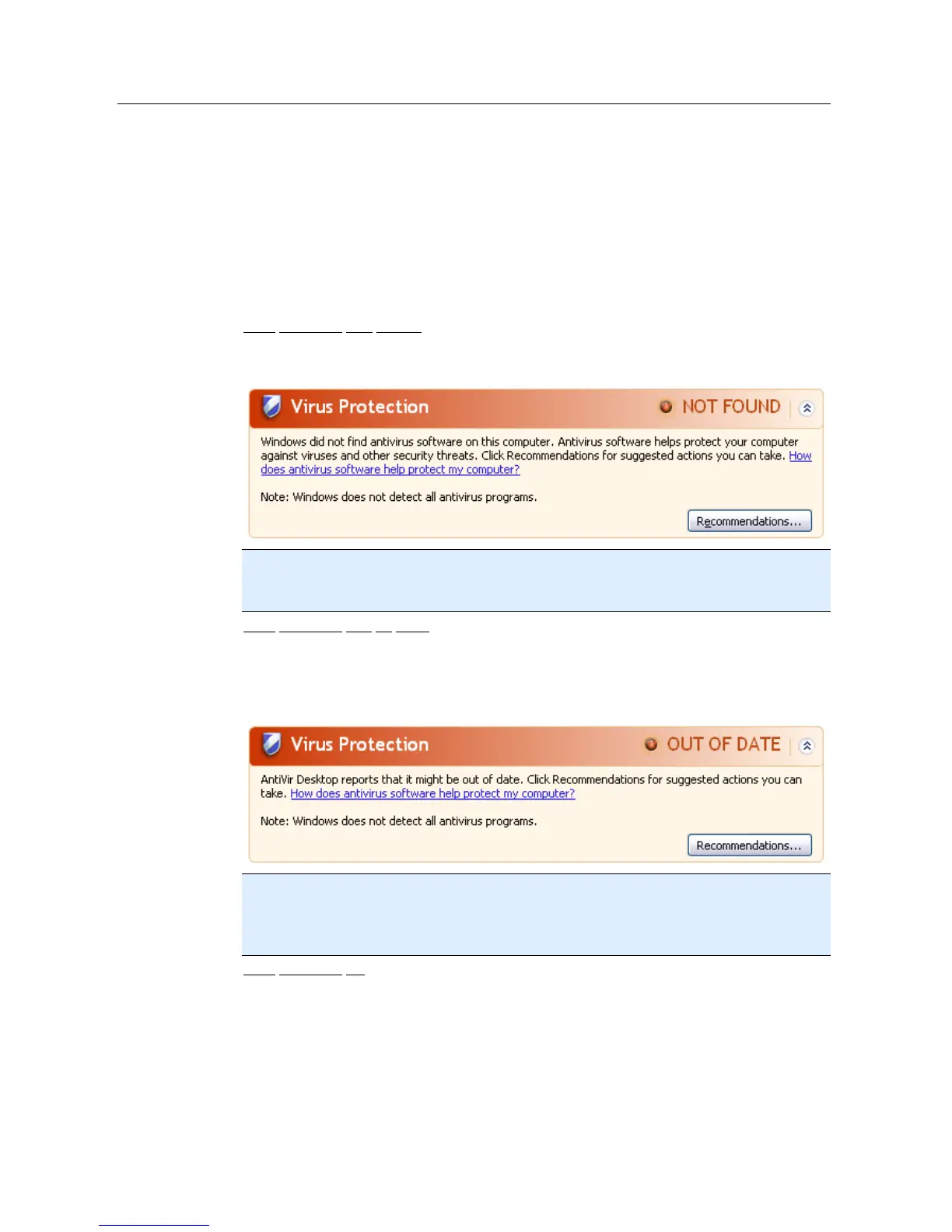
Virus protection NOT FOUND
Virus protection OUT OF DATE
Virus protection ON
Virus protection OFF
Virus protection NOT MONITORED
Virus protection NOT FOUND
This information of the Windows Security Center appears when the Windows Security
Center has not found any anti-virus software on your computer.
Note
Install Avira Premium Security Suite on your computer to protect it against viruses and
other unwanted programs!
Virus protection OUT OF DATE
If you have already installed Windows XP Service Pack 2 or Windows Vista and then
install Avira Premium Security Suite or you install Windows XP Service Pack 2 or
Windows Vista on a system on which Avira Premium Security Suite has already been
installed, you receive the following message:
Note
In order for the Windows Security Center to recognize Avira Premium Security Suite as
up to date, an update must be carried out after installation. Update your system by
carrying out an Avira Premium Security Suite update.
Virus protection ON
After installation of Avira Premium Security Suite and a subsequent update, you receive
the following message:



 To Next Page