5. Configuring the Printer’s Features
The Paper Tab
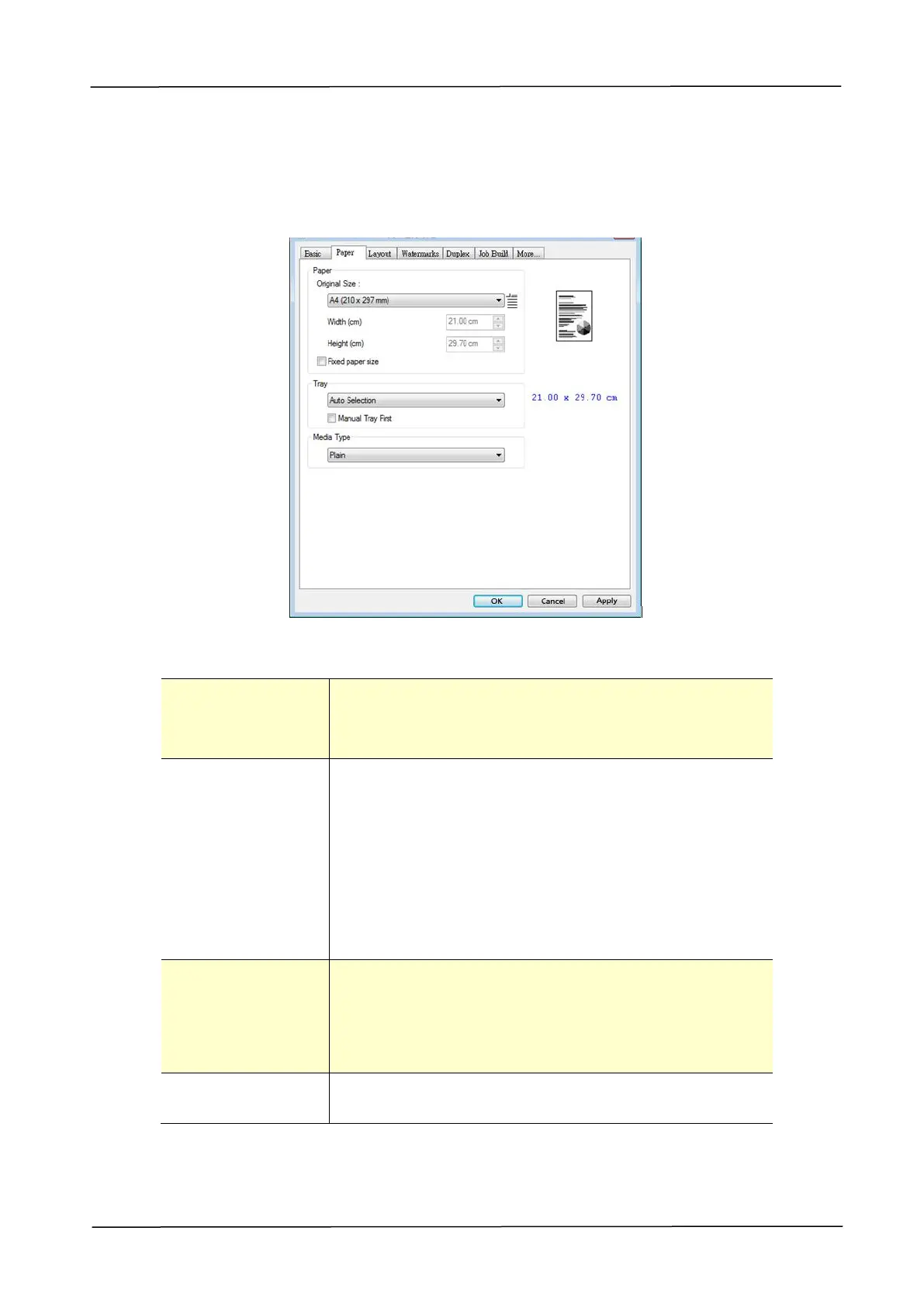
The Paper tab contains settings for Original Size, Tray, and Media Type.
Paper
Choose the size of paper loaded in the designated
tray.
Choice: A3, A4, A5, B5, B4, Legal, Letter, Ledger
Choose the tray from which your paper should be fed.
Choice: Auto Selection, Manual Tray, Main Tray,
Tray 2
Auto Selection means automatically select available
paper tray. (Priority: 1. Tray 1; 2. Manual tray; 3.
Tray 2)
Manual Tray First means automatically select
available paper tray. (Priority: 1. Manual Tray; 2.
Tray 1; 3. Tray 2)
Choose the type of media to be used for printing.
Choice: Any Type, Plain, Thick, Thin, Laser
Printer
Any Type: Any type of media can be printed.
Check to specify all output paper to the fixed paper
size based on the Original Size option。



 To Next Page