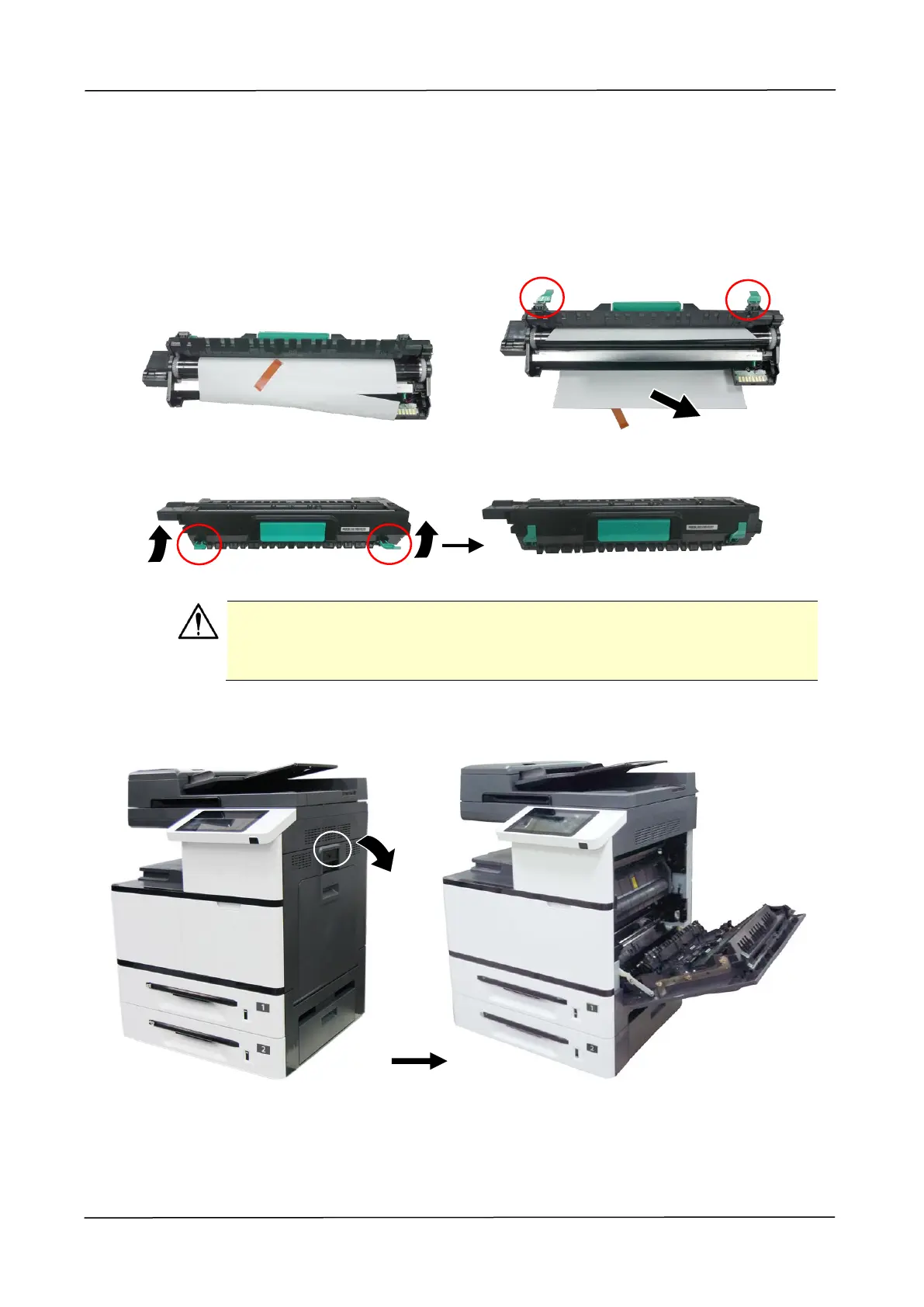
Installing the Drum Unit
Follow these steps to install the drum unit:
1. Remove the plastic bag, tape, and then press down the Release Arms to pull
out the protective film.
2. Pull up the Release Arms on both ends.
Caution!
To prevent damage to the Drum Unit, do not expose it to light for more
than a few minutes.
3. Pull down the handle to open the side door as illustrated.



 To Next Page