3. Operation
E-Mail
The 「E-Mail」 function allows you to scan your documents and send the scanned
image to your recipients via e-mail.
The Operation Steps:
1. Place your multi-page document Face Up and Top First in the auto document
feeder or single-page Face Down on the document glass.
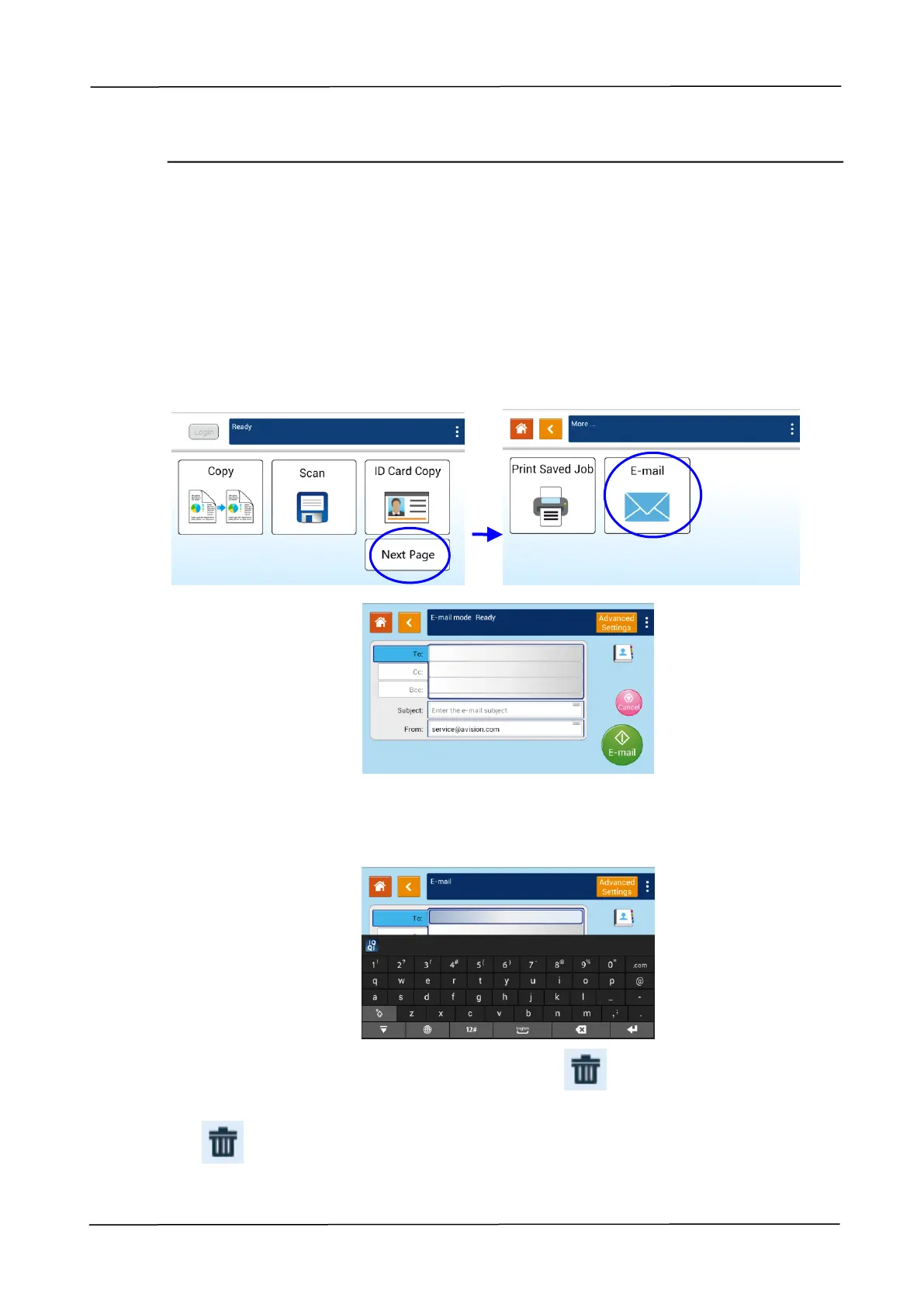
2. Tap the「Next Page」button and then the「E-Mail」button on the touch panel to
prompt the「E-Mail」 screen.
3. Tap the blank field of To option, and a soft keyboard screen appears. Enter your
recipient’s email address and press to complete.
After completing entering the email address, a recycle bin icon will be
displayed at the right corner.
: Tapping the button allows you to instantly delete the current To
addresses.



 To Next Page