2. Installing Your Machine
Specifying the Product’s Mail Server
To send the scanned image to a recipient via E-mail, you need first specify your mail
server information on the product. Follow these steps to set your mail server:
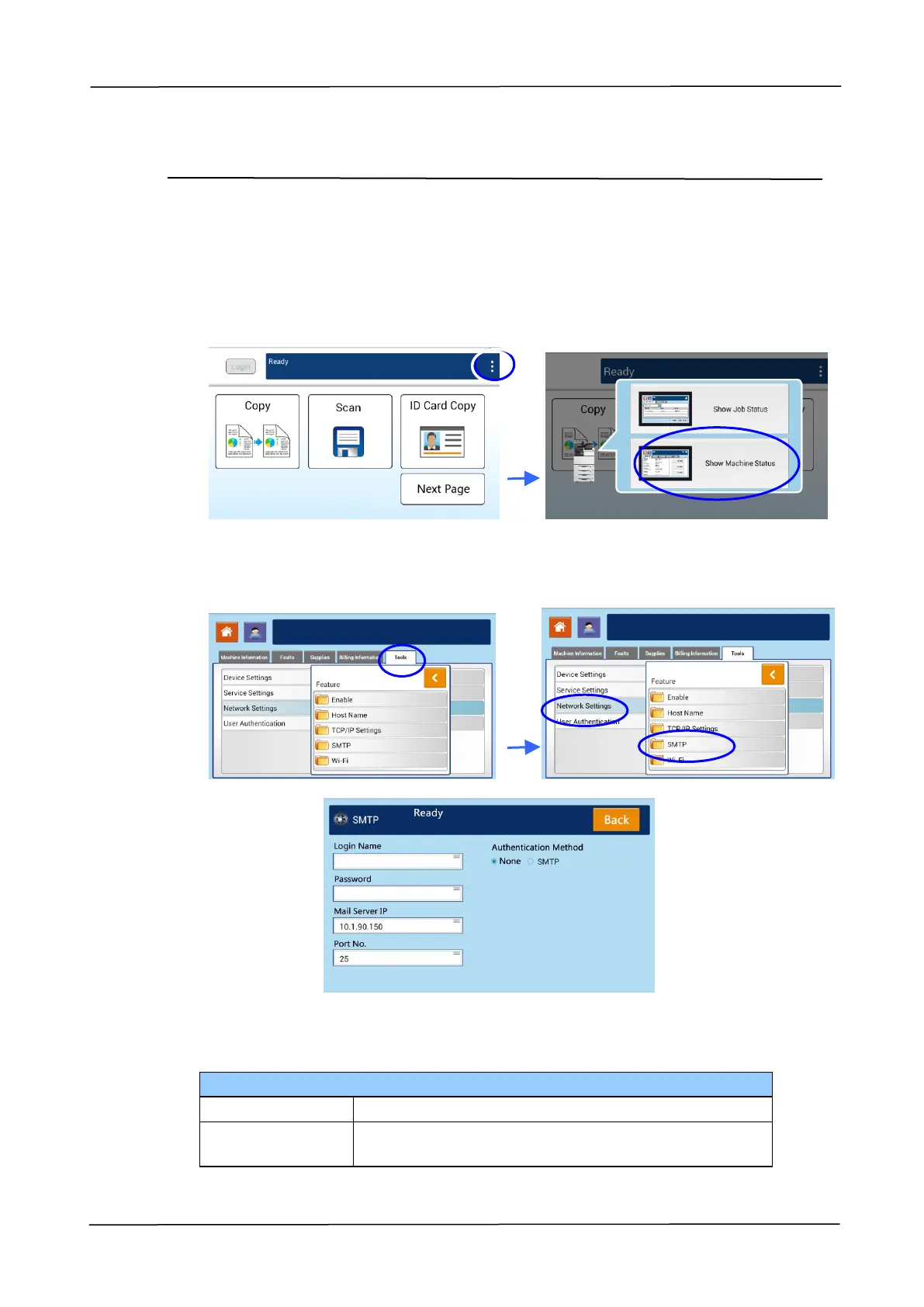
1. Tap [More Settings] on main screen and then choose [Show Machine Status].
This will prompt the [Machine Status] page.
2. Touch the 「Tools」tab, and then the 「Network Settings」>「SMTP」option. The
following SMTP screen will be displayed.
3. Tap anywhere respectively on the Login Name/Password/Mail Server/ Port#
field to bring up the soft keyboard and then enter the relevant values.
Enter the IP address of your SMTP server.
Enter the port number of the SMTP server.
* 25



 To Next Page