2. Installing Your Machine
Installing the Developing Unit
Follow these steps to install the Developing Unit:
Caution!
To prevent damage to the Developing Unit, do not expose it to light for
more than a few minutes.
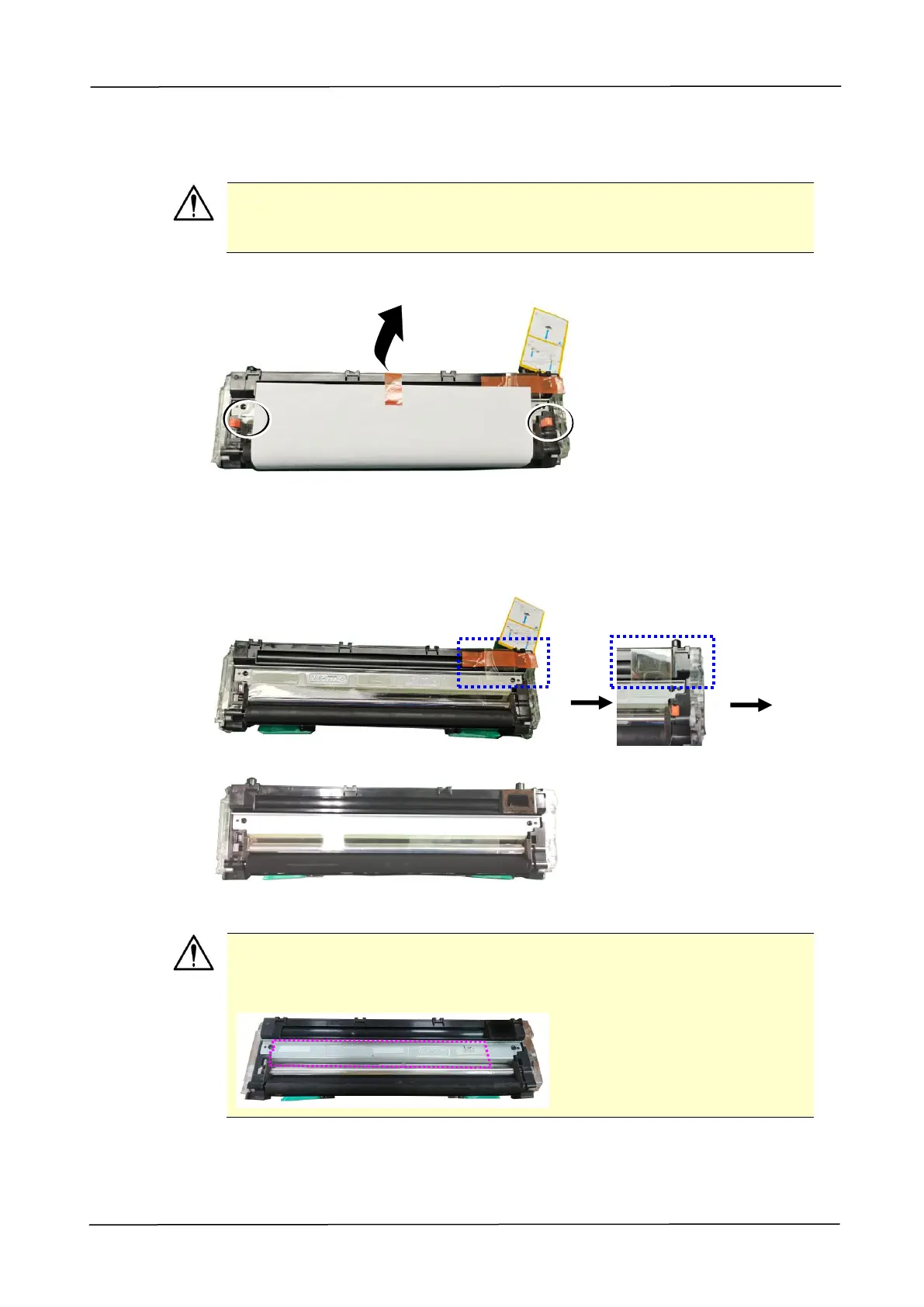
1. Remove the tape, protective film, and the plugson both sides.
2. Remove the tape in the upper right corner,and then remove the instruction
card and sponge.
Important!
Do not remove the transparent plastic protective cover on the surface of
the developing unit as shown in the figure to avoid abnormal images.



 To Next Page