8. Replacing the Consumables
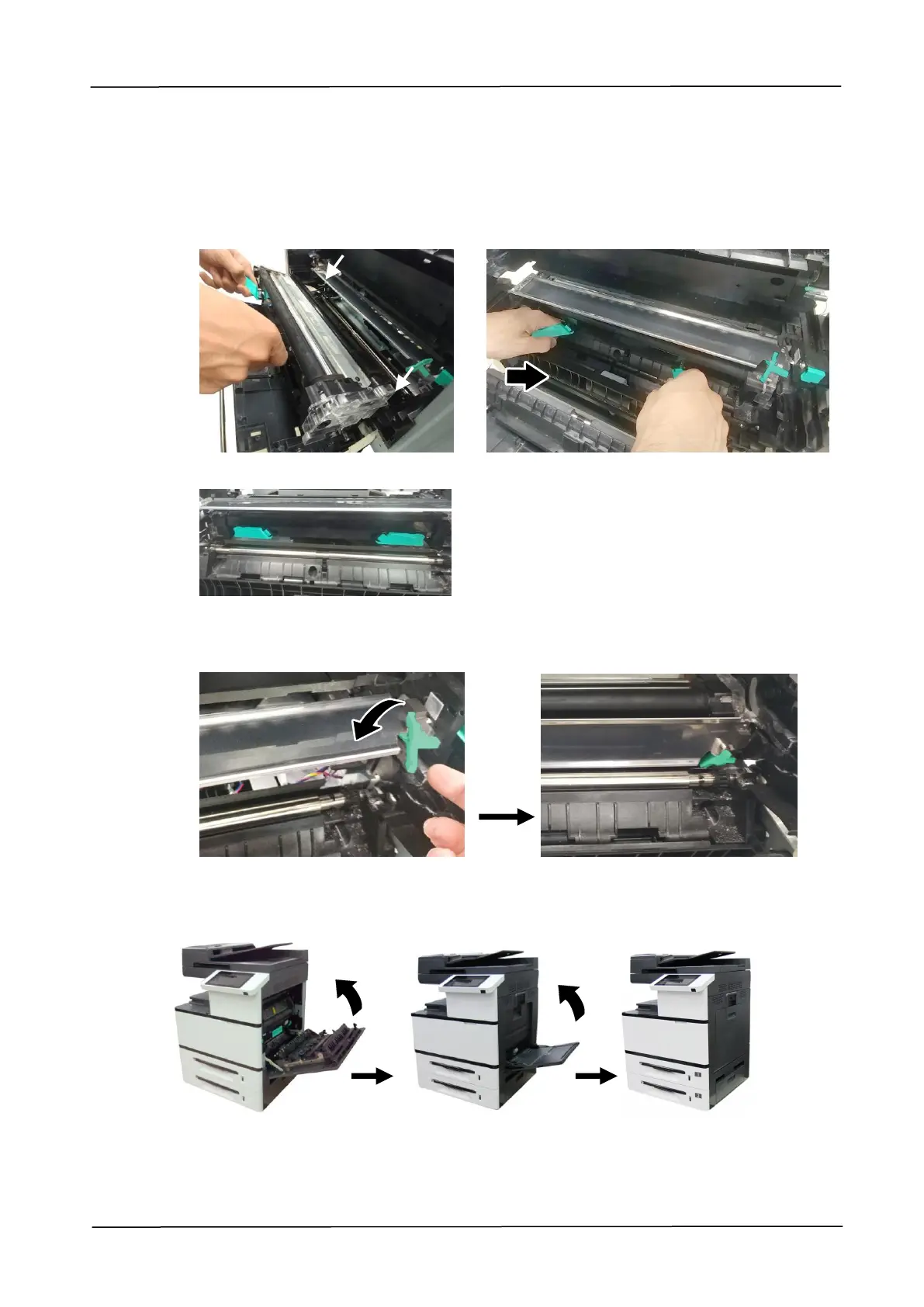
6. Hold the handle with both hands, placing the front end of the developing unit to
the top of the rails on both sides , and then gently push the developing unit
into the machine along the rails . Make sure the handles are closed and left flat
on the surface of the developing unit as shown in below .
7. Pull down the latch of the paper guide counterclockwise to restore the latch of the
paper guide to its original status.
8. Close the Side Door and then the Manual Tray as shown.



 To Next Page