off the switcher, select YES in the prompt box to shut down the system.
6. MULTIVIEW
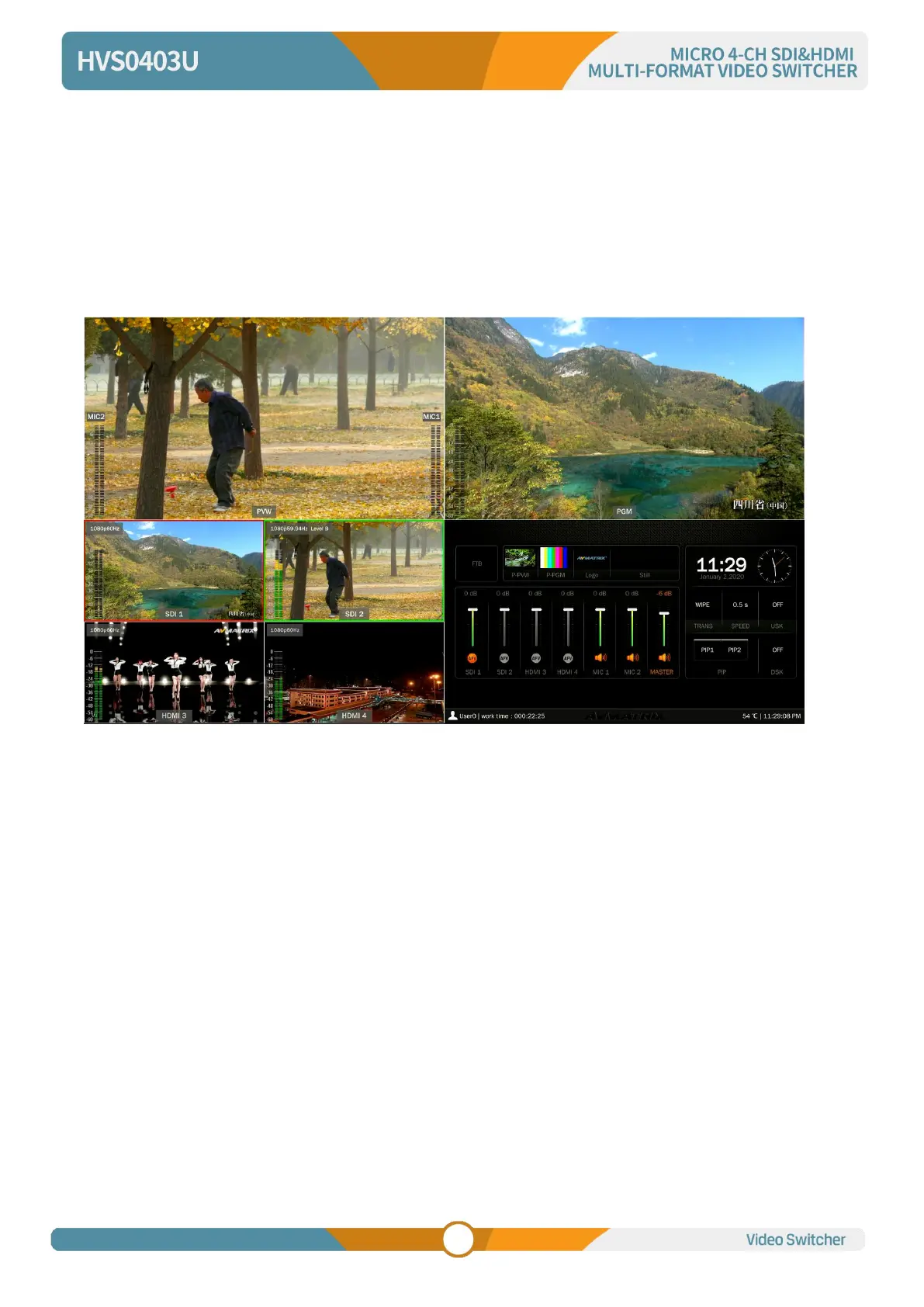
The switcher has three HDMI outputs (2PGM/Multiview). The three HDMI ports are both the AUX out that
user can define it as output of SDI1/ SDI2/ HDMI3/ HDMI4/ PGM/ Clean PGM/ PVW/ Color Bar/ Multiview
(Refer to part 11). Connecting the HDMI Multiview out to an additional monitor, user will get the multiview
image. In the Multiview there are windows of PVW, PGM, SDI1, SDI2, HDMI3, HDMI4 and Status/Menu
page. See below image.
6.1. Status Page
In the status page, there are status information of FTB (Fade to Black), P-PVW (Pattern in PVW row),
P-PGM (Pattern in PGM row), Logo, Still, Audio, Transition Effect, Transition Speed, USK (UpstreamKey),
DSK (DownstreamKey), and System Time. See below image.



 To Next Page