5.2 Hardware Setup
1. The microSD card must be formatted as FAT32. If this has not been previously done, please
do that now. Refer to Appendix A: Format the microSD Card for specific instructions.
2. A terminal program is required. Windows 7 does not come pre-installed with a terminal
program. Tera Term was used in this example which can be downloaded from the Tera Term
project on the SourceForge Japan page: ttssh2.sourceforge.jp Install Tera Term or another
terminal program of your choice.
3. If not previously installed, go to www.microzed.org to download and install the Silicon Labs
CP2104 USB-to-UART driver.
www.microzed.org/documentation/1519
Silicon Labs CP210x USB-to-UART Setup Guide
4. Copy the boot.bin file from the sd_image directory to the top level of the microSD card.
Delete all other files.
5. Once boot.bin is copied to the microSD card, eject the microSD card from the PC or SD card
reader.
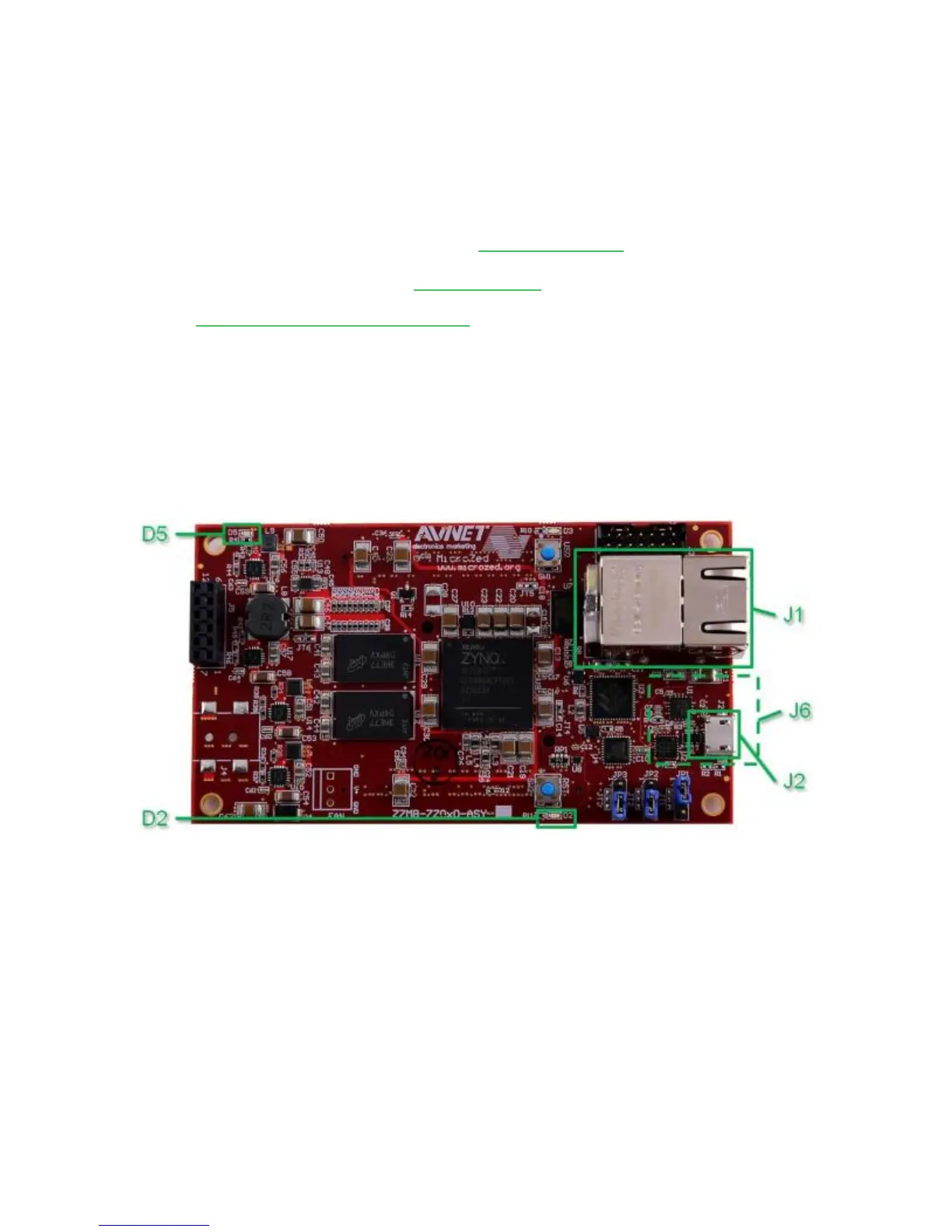
6. Insert the 4GB microSD card included with MicroZed into the microSD card slot (J6) located
on the underside of MicroZed module.
Figure 4 – MicroZed Hardware Reference


 To Next Page