5.3 Running the Example
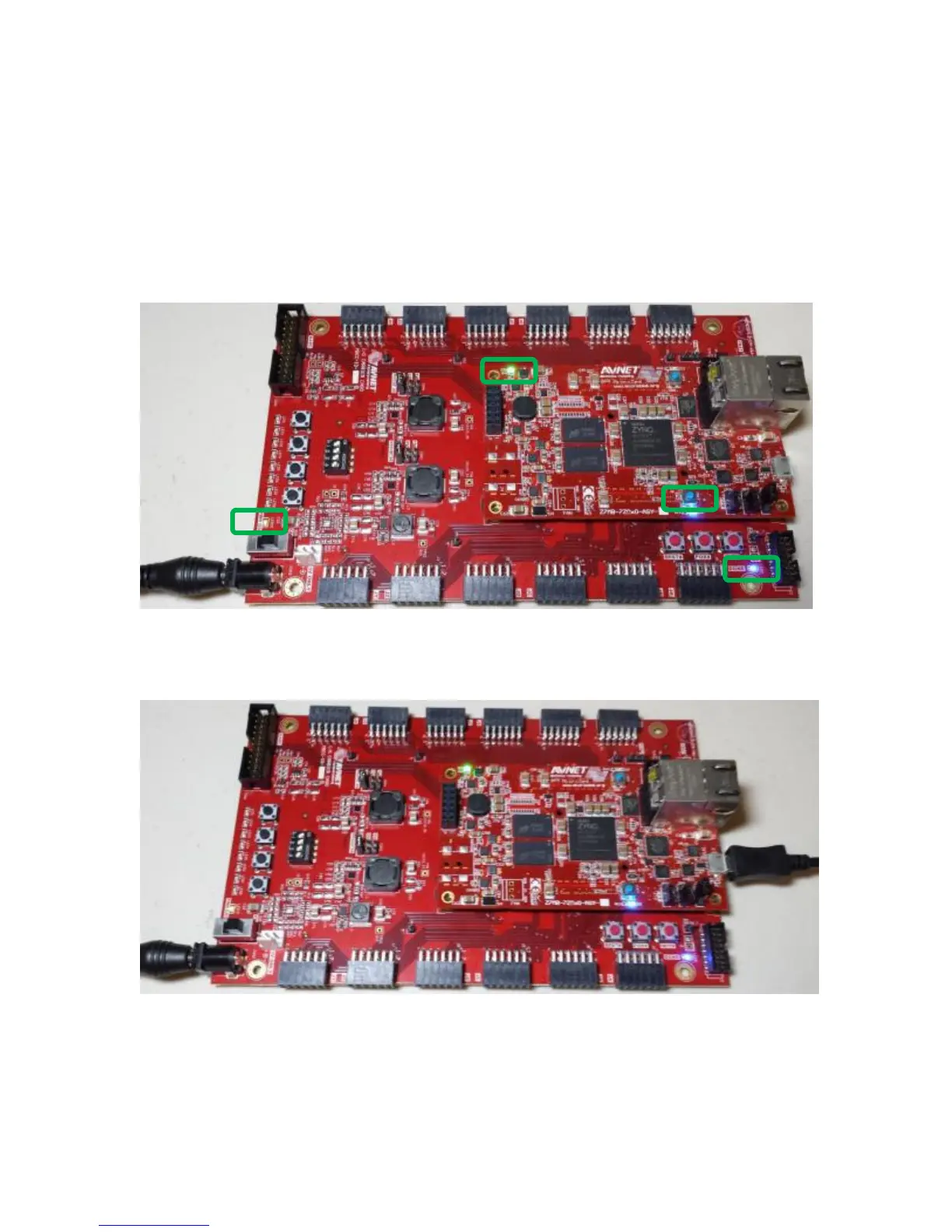
12. Turn the power switch on the IOCC to the ON position. After 1-2 seconds, you will notice four
LEDs that are lit:
– D5 on MicroZed, indicating Power Good
– LED10 on IOCC, indicating Power Good
– D2 on MicroZed, Zynq PL configuration DONE
– LED9 on IOCC, Zynq PL configuration DONE
Figure 6 – MicroZed / IOCC Powered On with LEDs
13. Now plug in the microUSB cable between the PC and the J2 USB-UART connector on MicroZed.
Figure 7 – With USB-UART Cable Plugged In


 To Next Page