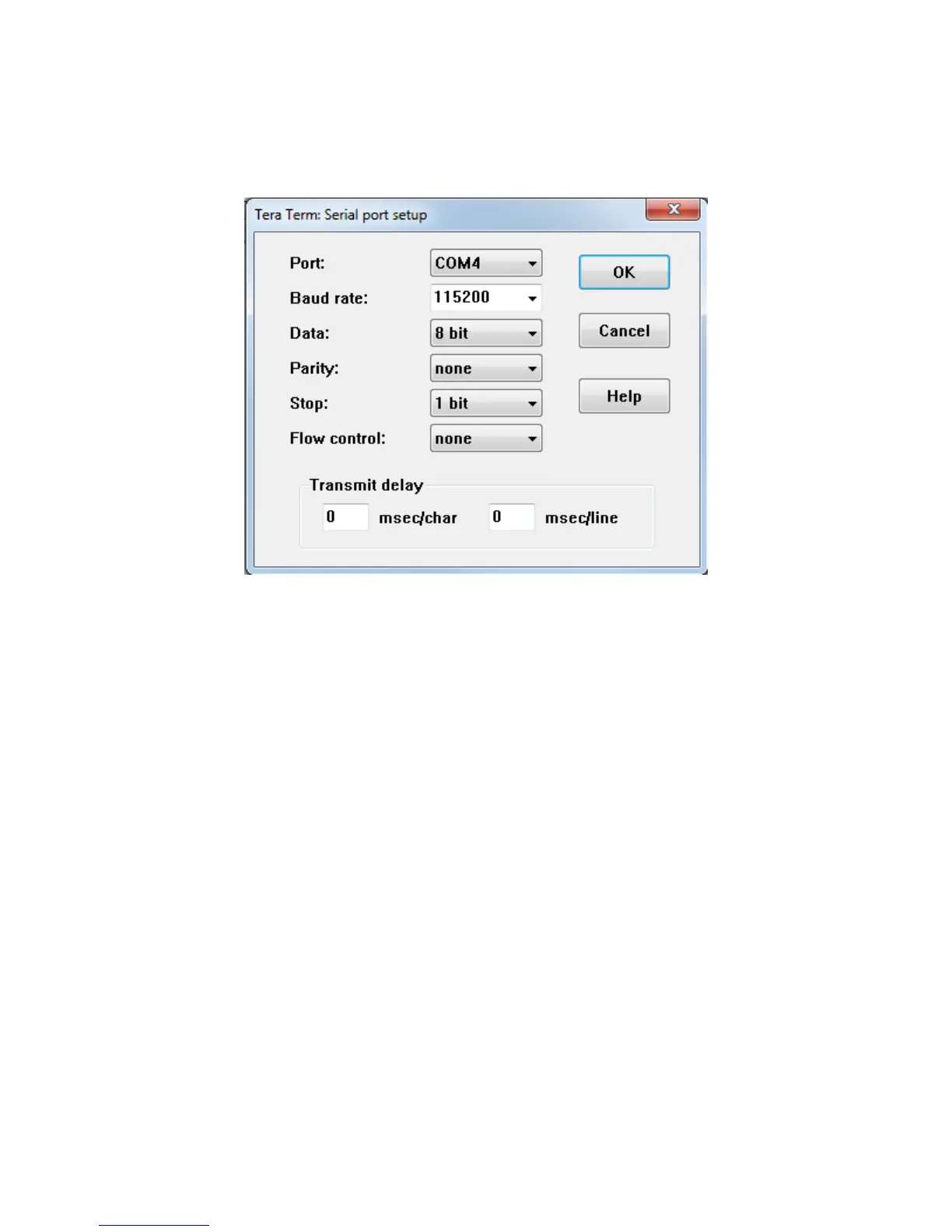
14. On the PC, open a serial terminal program. Tera Term is used to show the example output for
this lab document. Follow the instructions in the CP210x Setup Guide to set the terminal as
shown in Figure 8, using the appropriate COM port that you discover on your own machine.
Figure 8 – Connect Tera Term to the proper COMx port
15. Perform a System Processor Reset by pushing the SRST# button (SW4) on the IOCC. The
terminal output should display as follows.


 To Next Page