SmartEdge Industrial IoT Gateway
User Guide
http://www.element14.com/gateway Page 26
4. SOFTWARE CONFIGURATION
4.1. AVNET IMAGE
The unit comes pre-loaded with a special version of Raspbian. Due to differences in the Avnet SmartEdge IIoT Gateway
compared with a standard Raspberry Pi, standard Raspbian images won't boot without modification. See section 4.4
for details.
LOCAL ACCESS & CONFIGURATION
Connect a USB keyboard and HDMI monitor to the Gateway, and power-on. NOTE: If connecting an HDMI monitor after
power-on, the resolution may not be correct or the output may not be enabled.
Default login: avnet Password: avnet
From this point, you have Linux shell access. You can install additional software components (using apt), control
startup devices (using systemctl), modify the IoTConnect configuration, view logging (files in /var/log), etc.
INCLUDED SOFTWARE
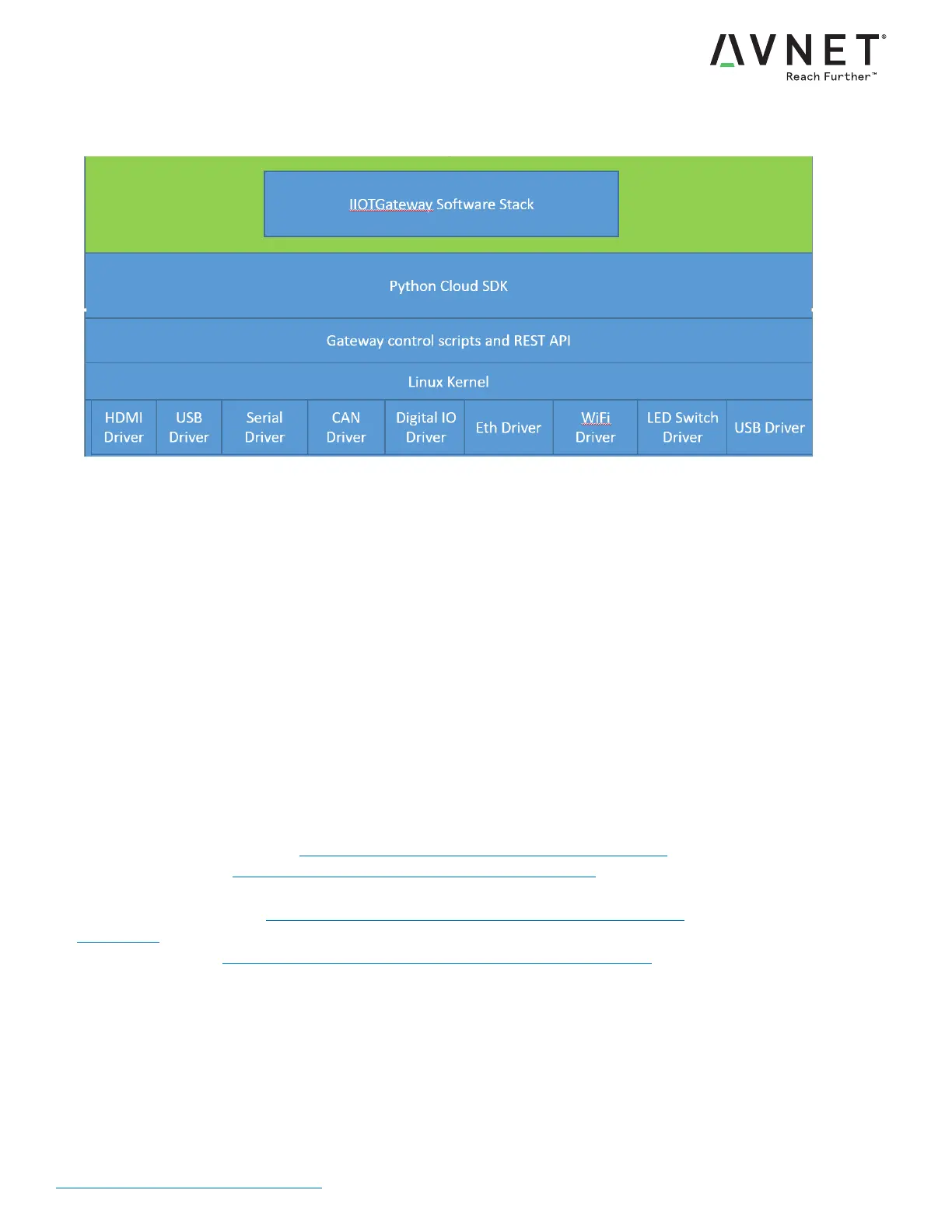
Linux based on Raspbian, with Avnet SmartEdge IIoT Gateway platform specific support added
Linux kernel source github: https://github.com/Avnet/smartedge-iiot-gateway
Avnet image releases: http://avnet.me/smartedge-iiot-gateway-releases
Custom U-Boot with support for TPM 2.0 trusted boot
U-Boot source github: https://github.com/Avnet/smartedge-iiot-gateway-uboot
IoTConnect cloud solution provided (30-day trial included)
Custom files github: https://github.com/Avnet/smartedge-iiot-gateway-custom


 To Next Page