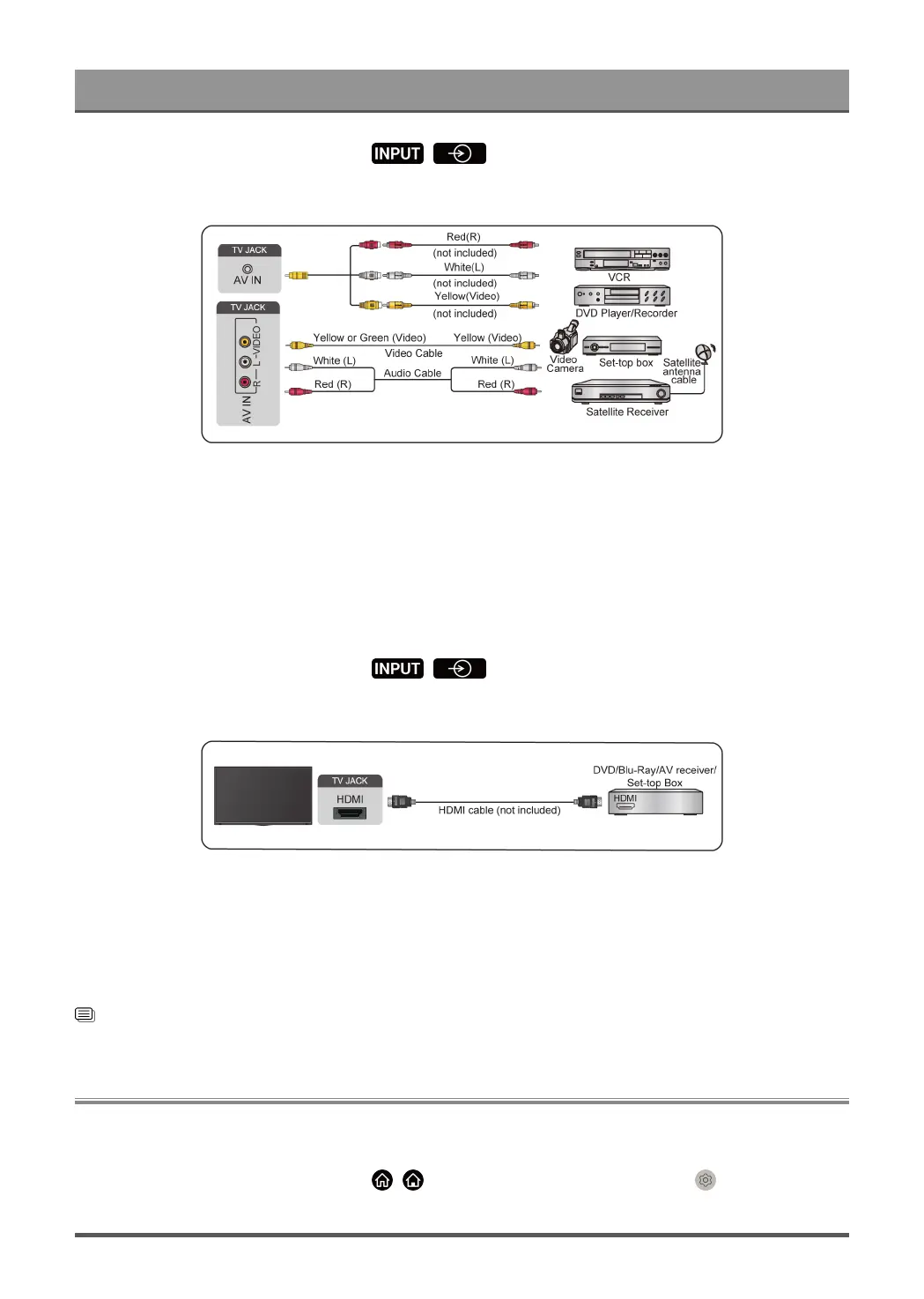
Connecting to External Devices
When the connection is completed, press / button on your remote control and select AV as
the input source.
Note:
• AV IN port(s) may vary depending on model type.
• AV IN port(s) may not be available in some models. Please use other port(s) to connect AV devices.
• For some models, RCA Jack to AV cable may not be supplied.
Connect with a HDMI cable
To connect an AV device with a HDMI cable (not provided), see the illustration below.
When the connection is completed, press / button on your remote control and select the
corresponding HDMI input.
Note:
• Please refer to the User Manual of your device for step-by-step instructions.
• Some devices, such as DVD players, require the HDMI signal to be set to the correct format in the device
settings. Please consult your device user manual for instructions.
• If there is no sound from your TV, configure the device audio settings.
Related information
Use HDMI & CEC on page 36
Connecting Speakers or Other Audio Receivers
To connect speakers or other audio receivers with an audio cable (not provided), see the illustration below.
Ensure the audio connected devices are switched on before switching on the TV.
When the connection is completed, press / button on your remote control, select Settings > Sound
> Speakers > Audio Output and select the SPDIF Only option.
43



 To Next Page