First-Time Use
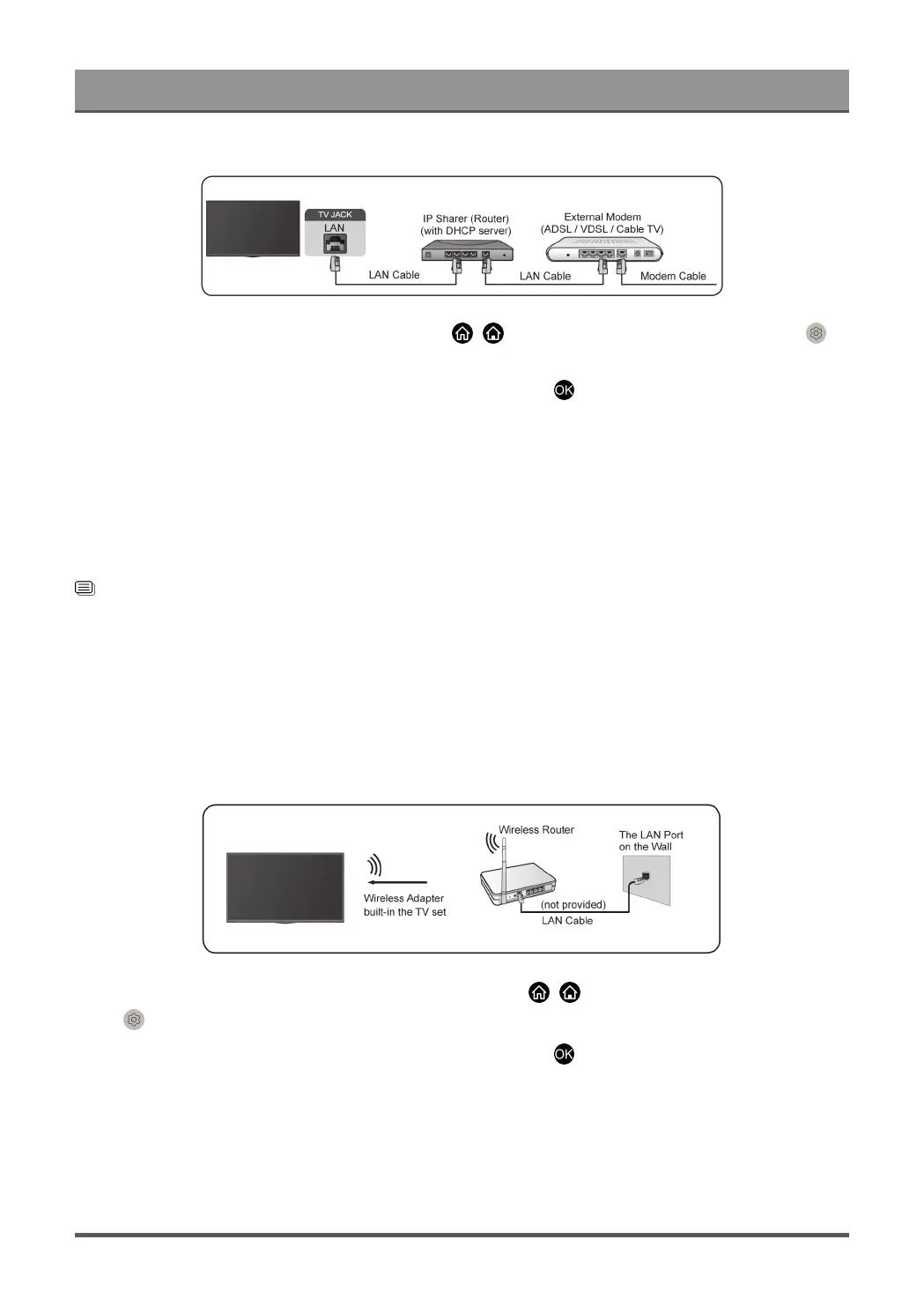
After connecting to a wired (Ethernet) network, press / button on your remote control, and select
Settings > Network > Network Configuration.
Set the TV network by selecting Network Configuration and press button to enter the submenu.
• Connection Type
Choose a wired (Ethernet) network connection to access the Internet.
• Ethernet
Display network status.
• IP Settings
Configure the IP setting for your network connection.
Related information
Network on page 54
Network Issues on page 79
My TV cannot connect to the network. on page 71
Connect to a Wireless Network
To connect to an available wireless network, make sure that you turn on your wireless router and have the
wireless router's SSID and password before attempting to connect.
To get access to the Internet using a wireless connection, press / button on your remote control, and
select Settings > Network > Network Configuration.
Set the TV network by selecting Network Configuration and press button to enter the submenu.
• Connection Type
Choose a wireless network connection to access the Internet.
• Advanced Settings
Configure the advanced wireless network settings for the TV.
7



 To Next Page