23
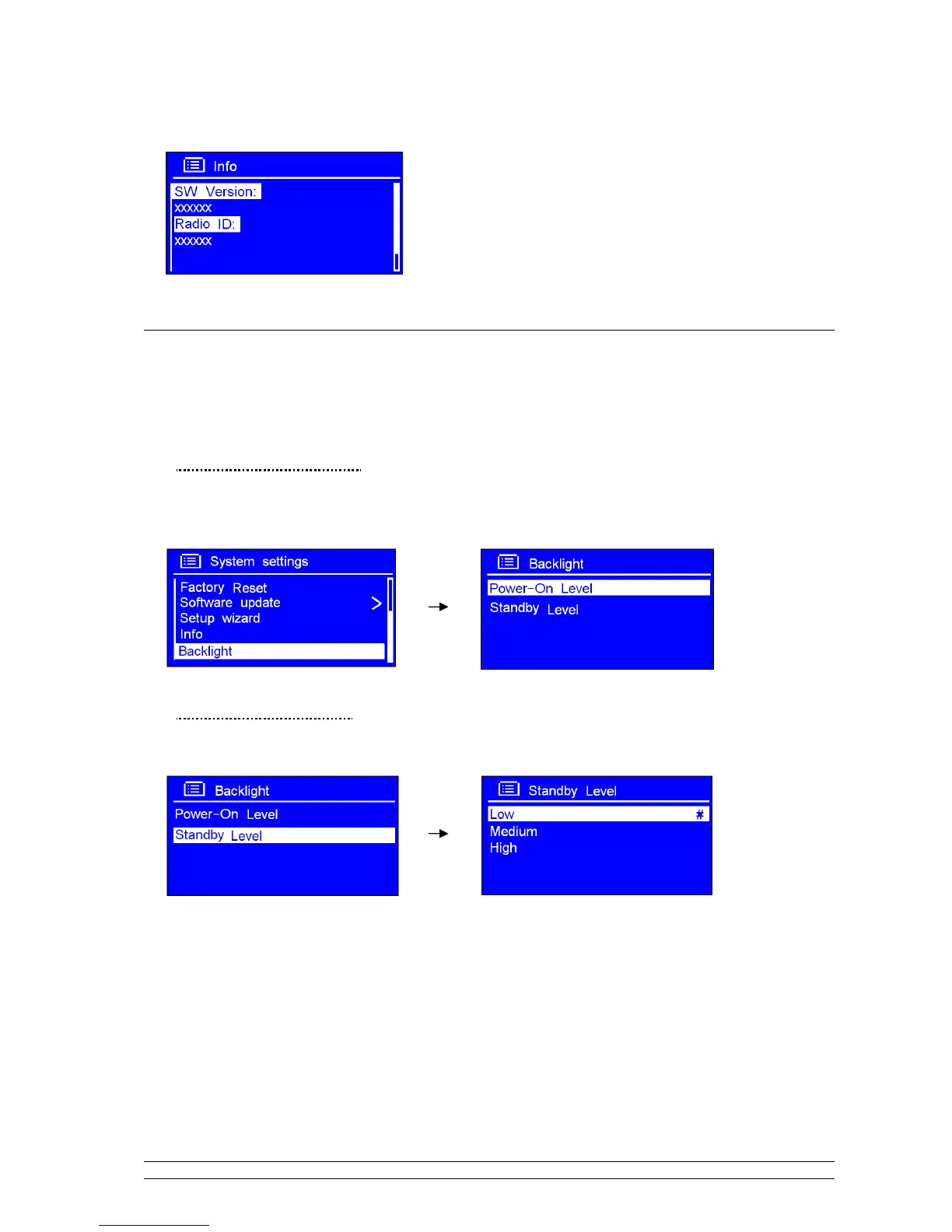
2. Press SELECT/SNOOZE to confirm, this information may be requested when dealing with technical
support issues.
6.7 Backlight
Note: Here, High brightness level can get you pretty easy to view the station information. Set to Low can let you
feel comfortable while you do not want to light bother you.
· For Power on condition:
It can be activated from < Main menu > < System settings > < Backlight > Power-On Level
low/Medium/High. (Setting to high level is recommended!)
· For Standby condition:
It can be activated from < Main menu > < System settings > < Backlight > Standby Level
low/Medium/High. (Setting to low level is recommended!)



 To Next Page