19
Note: At this step, and sleep icon shows up, as well as shows how long it will be expired.
4. Radio will now automatically put itself into standby mode after sleep time has elapsed.
5. To continue enjoying your program by pressing
.
5.4 Setting Clock
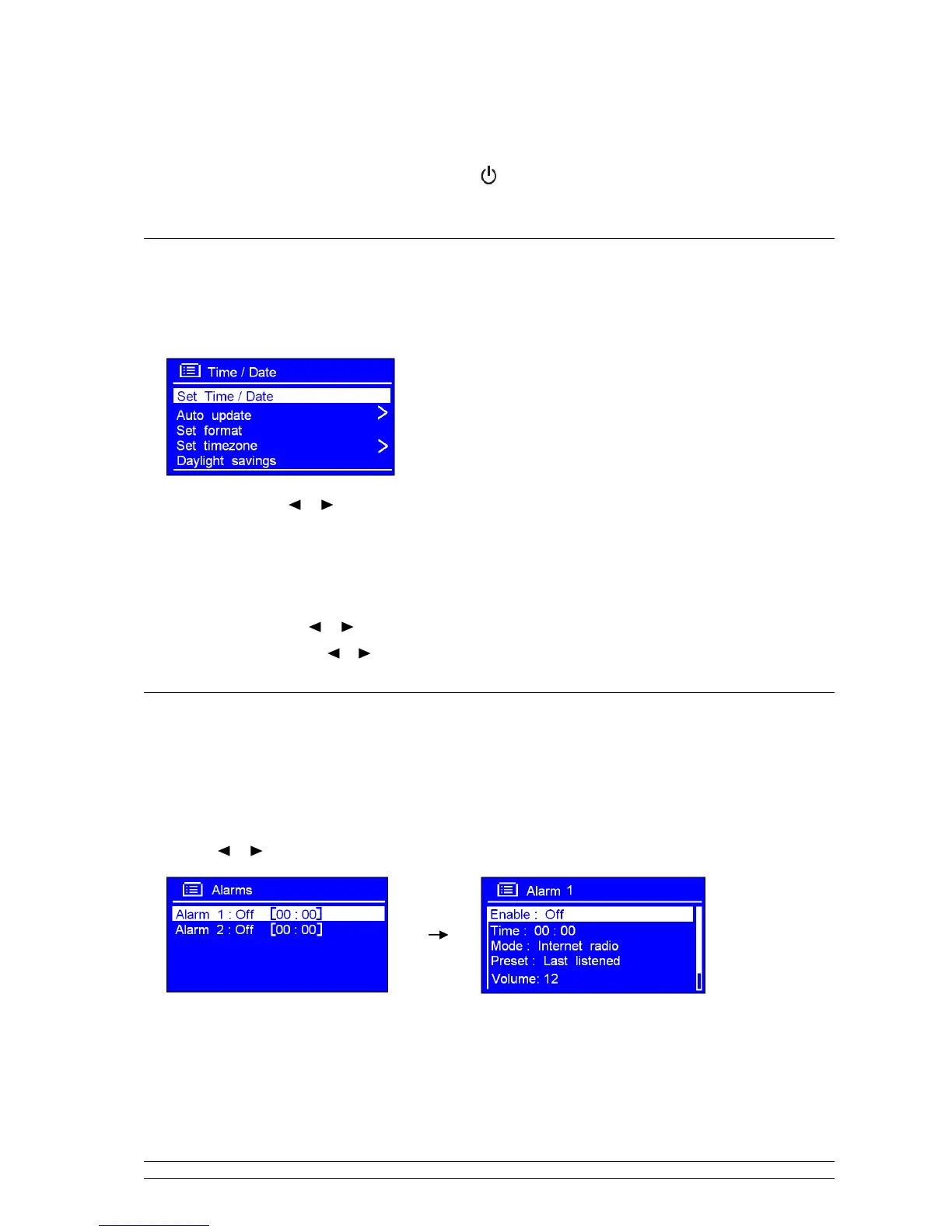
1. It can be activated from press MENU < Main menu > < System settings > < Time/Date >,
press SELECT/SNOOZE to confirm
.
Note: here,
Press
or
to a range of time settings are available, which include the functionality to set:
•
<Set Time/date>: Manually set-up both Time and Date
•
<Auto update>: ‘Update from DAB’, ‘Update from Network’ and ‘No update’
•
<Set format>: ‘Set 24 hour’ and ‘Set 12 hour’
•
<Set timezone>:
Press
or
to your location timezone, press
SELECT/SNOOZE
to confirm
•
<Daylight savings>: Press or to ‘ON’, and then press
SELECT/SNOOZE
to confirm, it is done!
1.
5.5 Setting Alarm
Note: Setting Alarm, make sure setting time at first.
1. Setting alarm can be simply press ALARM, or from pressing MENU < Main menu > < Alarms
>, press SELECT/SNOOZE to confirm.
2. Press or to your purpose one, press SELECT/SNOOZE to confirm.
3. Configure the following parameters:
• Enable: Off, Daily, Once, Weekends or weekdays
• Time: 00:00
• Mode: Buzzer, Internet radio, DAB or FM



 To Next Page