3
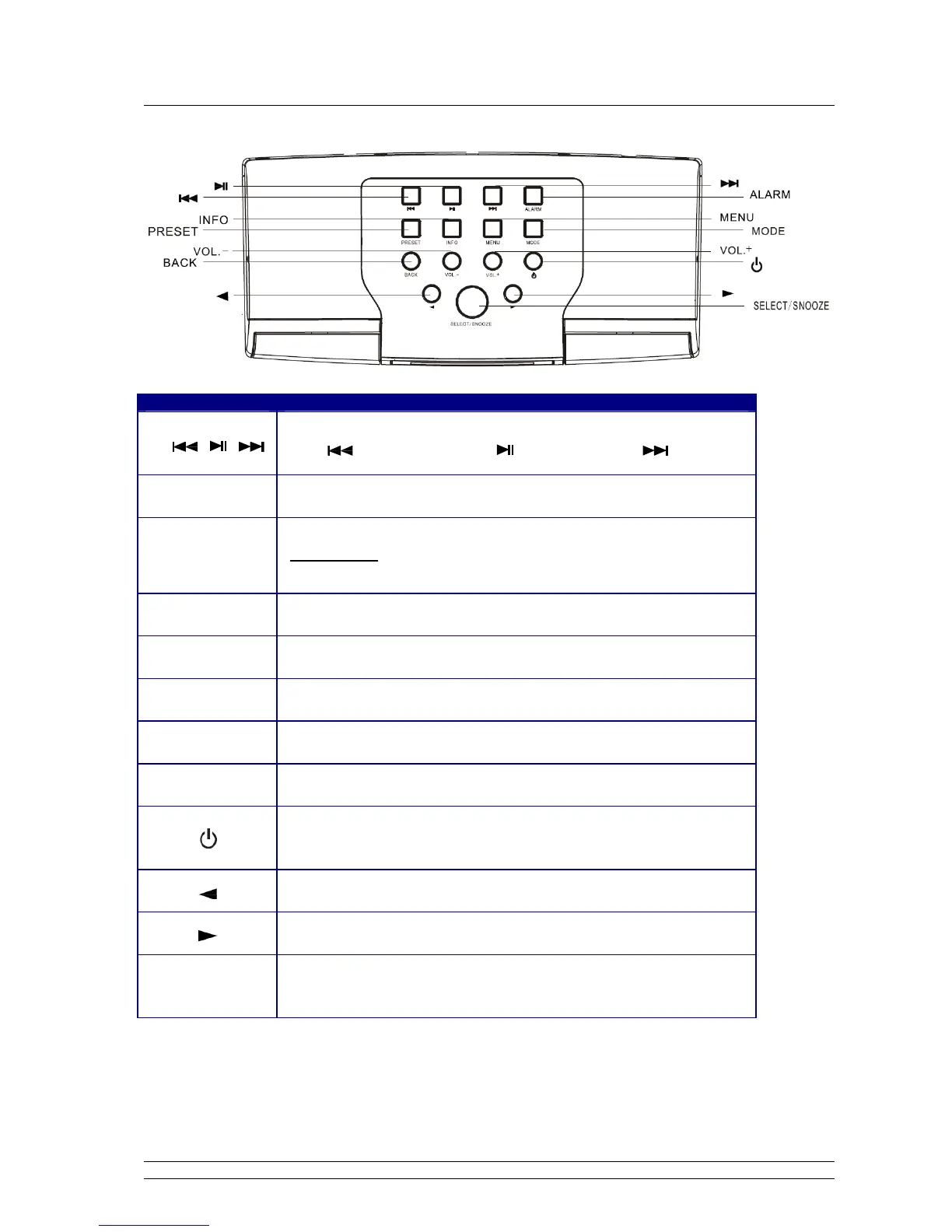
Unit Top Overview
Control All mode
Music player mode use only:
Press
to previous track, press to Play/Pause, Press
to next Track
ALARM
Press to set Alarms
PRESET
Internet, DAB and FM mode:
Press and hold to store current playing program as preset station;
Short press to load preset stations.
INFO
While a program is playing, press to browse station information
MENU
Press to main menu and other options
MODE
Press to convert among Internet, Music player, DAB and FM mode in turn.
BACK
Press to go back to previous menu page
Vol- Vol+
Press to adjust volume level
Press to turn on/off the Radio;
When alarm is coming, press to turn alarm off
Press to upward browse options
Press to downward browse options
SELECT/SNOOZE
Press to confirm;
When alarm is coming, press to postpone alarm



 To Next Page