6
Chapter 1 Internet Mode
1.1 Setup Wizard
Step 1 - Power up
1. Connect DC adapter to your Internet Radio.
2. Press to switch your radio on (press again can switch your radio off).
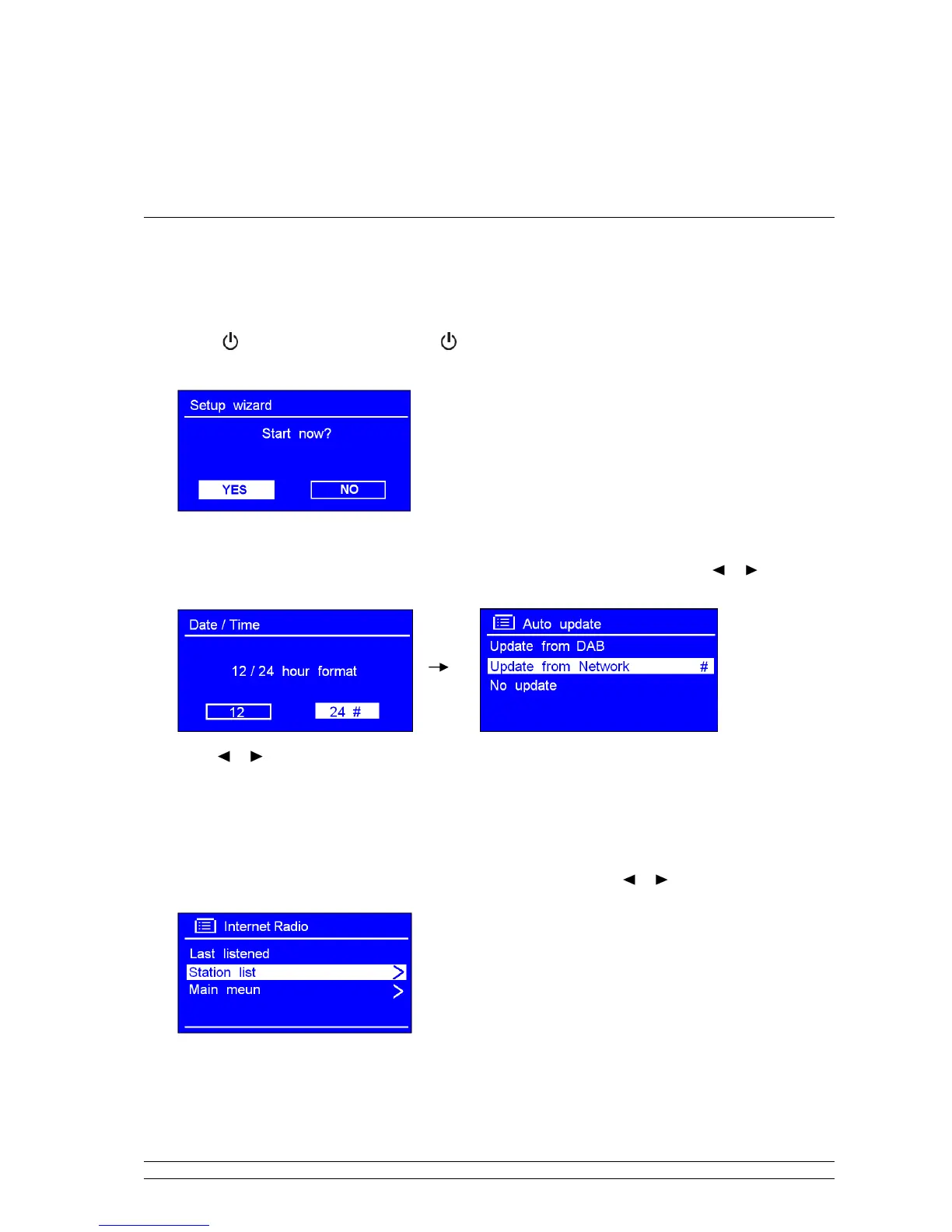
3. For initial use, a ‘Setup wizard’ dialog appears on the display.
Step 2 – Setup wizard
1. Continue the above step, press SELECT/SNOOZE to confirm ‘YES’ and then press or to your
preferred ‘hour format’, press SELECT/SNOOZE to confirm.
2. Press or to ‘Update from Network’, and then press SELECT/SNOOZE to confirm. Now, follow
your radio’s instruction, configure the following parameters:
• Timezone:
select your local timezone.
• Daylight saving:
On or Off
• Wlan region:
Most of Europe
• SSID:
In some cases radio may find more than one network. Press
or
to your favorite one, press
SELECT/SNOOZE to confirm.
Note: If your network is not configured to request a
password (WEP/WPA), radio will connect to the
network and display as left picture show:
3. If a WEP/WPA key (password) is required, radio will ask you to input the WEP/WPA code and display
the password entry screen as follows:



 To Next Page