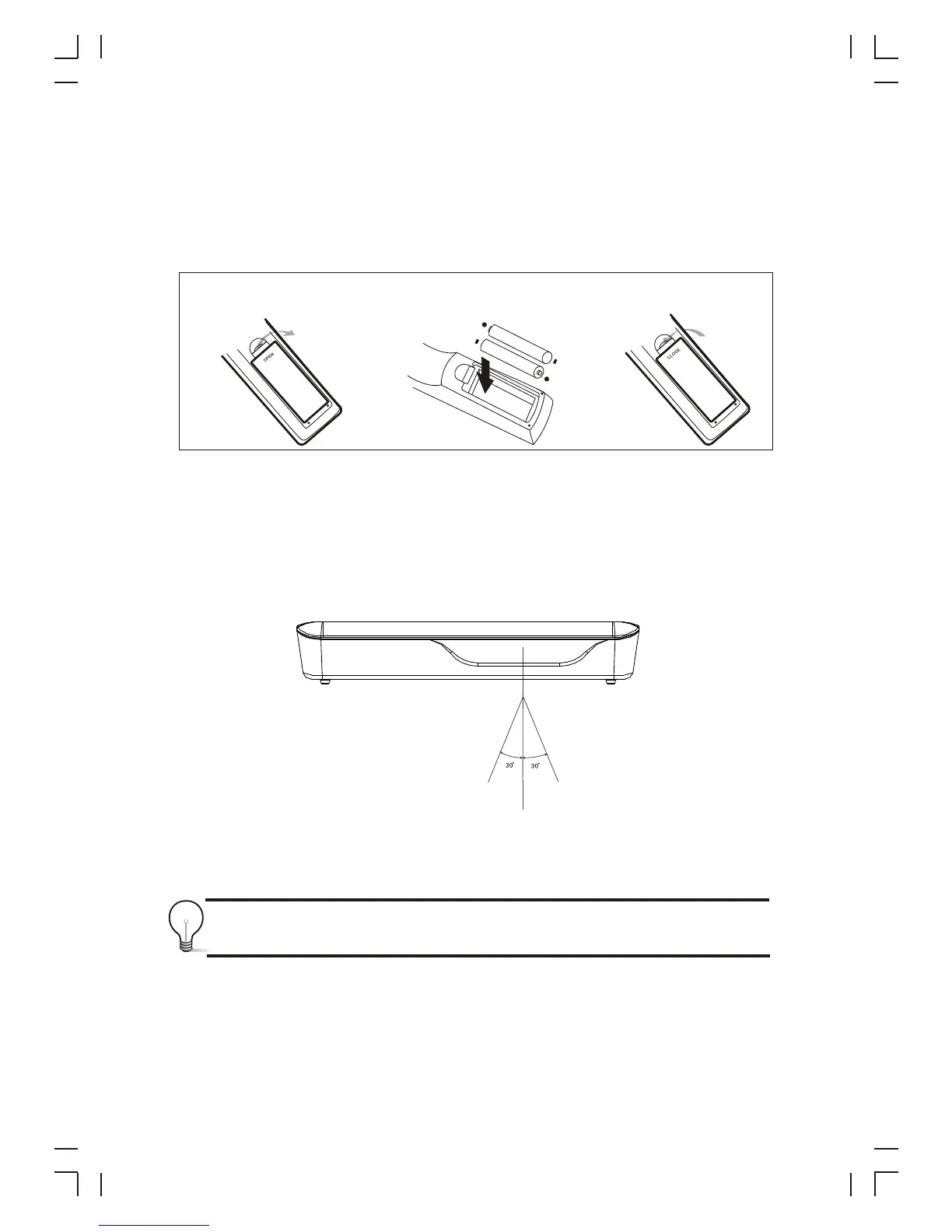
Installing the Batteries
Remove the battery cover from the Remote Control and put 2xAAA size batteries
inside the compartment.
The diagram inside the Battery Compartment shows the correct way to install the
batteries.
1.Open the cover 2.Install batteries 3.Close the cover
Using the Remote Control
To use the Remote Control, point it towards the front of the Digital Set Top Box. The
Remote Control has a range of up to 7 metres from the Set Top Box at an angle of up
to 60 degrees.
The Remote Control will not operate if its path is blocked.
Sunlight or very bright light will decrease the sensitivity of the Remote
Control.
4



 To Next Page