.
.
.
.
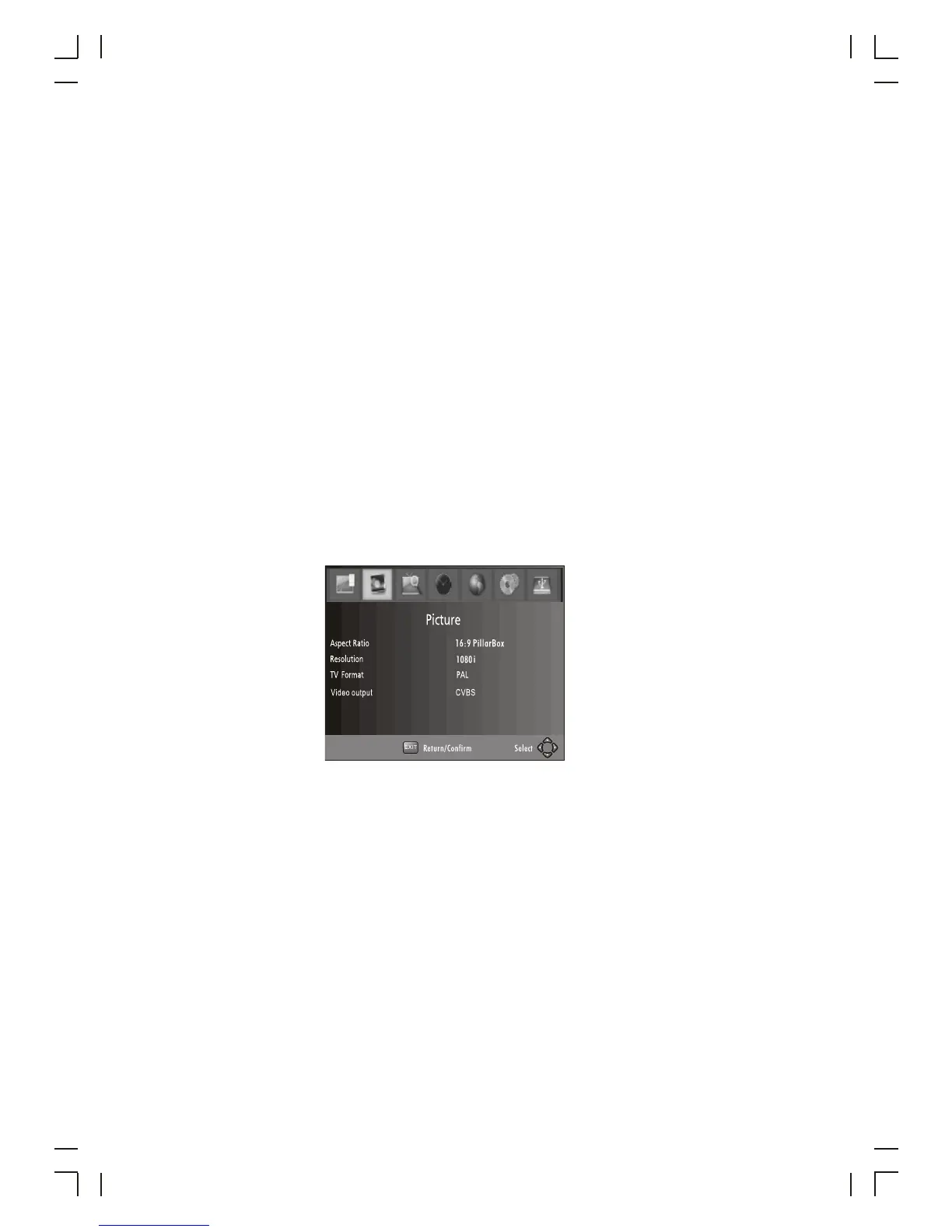
(6) Video Setting
(4) Sort
Sort your channels from the following options:
[LCN] - Sort the channels in ascending order
[Name] - Sort the channels in alphabetical order
[Service ID] - Sort the channels according to the station
(5) LCN (Logical channel number)
Set LCN on or off
To access the Menu, press MENU then select [Picture]. The Menu
provides options to adjust the video settings. Press UP/DOWN to select an option
and press RIGHT/LEFT to adjust that setting. Press EXIT to exit the menu.
(1). Aspect Ratio
The Aspect Ratio allows you to set the TV screen display. You can choose between
either 4:3 PanScan, 4:3 Letter Box, 4:3 Full, 16:9 Widescreen or Auto. 16:9 pillar box,
16:9 Pan&scan
8



 To Next Page