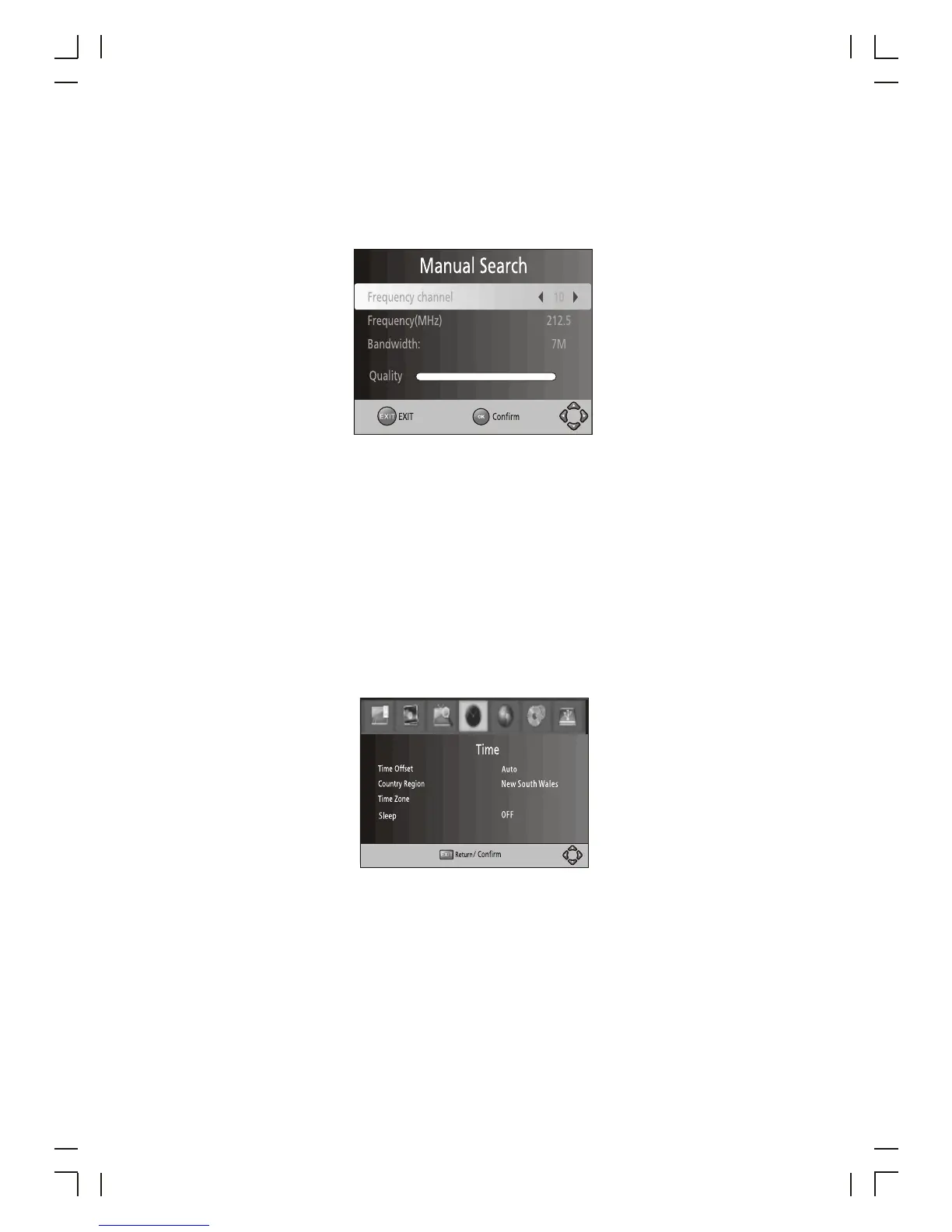
2. Manual Search
Install new channels manually . This option adds new channels without changing the
current channels list.
1. Select [Manual Search] then press OK or RIGHT. The channel search screen will
appear.
2. Press the RIGHT/LEFT key to select the channel frequency
Enable Antenna Power if an external active antenna is connected.
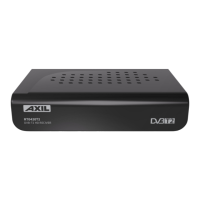
(8) Time Setting
M then M
Press UP/DOWN to s s
3. Press OK to start searching channels If a channel is found, it is saved and added to
the channels list. If channels can't be found, then exit the menu.
(3) Country
Select your country of residence.
(4) Antenna power
To access the enu, press MENU select [Time]. The enu provides options to
adjust the time settings.
elect an option and press RIGHT/LEFT to adjust the setting . Press
EXIT to exit the menu.
(1) Time offset
Select auto or manual for GMT offset adjustments.
(2) Country Region
Select the Country Region when [Time Offset] is set to Auto.
(3) Time Zone
Select the Time Zone Offset when [Time Offset] is set to Manual.
(4) Sleep
If this setting is off, this function does not work. If this setting is not off, a message
will pop up after 3 hours, that the device will go in to sleep mode. This message will
appear under no any operation.
Press STANDBY button to exit sleep / auto-off mode.
10



 To Next Page