(2). Resolution
(3). TV format
(4). Video output
If the video does not appear correctly, change the setting. This setting is to match
the most common setting for HDMI.
[480i]: for NTSC system TV.
[480P]: for NTSC system TV.
[576i] for PAL system TV.
[576P]: for PAL system TV.
[720P]: for NTSC or PAL system TV.
[1080I]: for NTSC or PAL system TV.
[1080P]: for NTSC or PAL system TV.
If the video does not appear correctly, you need to change the settings. This should
match the most common setting for TVs in your country.
[NTSC]: for NTSC system TV.
[PAL]: for PAL system TV.
[CVBS]: CVBS output.
[RGB]: RGB output.
9
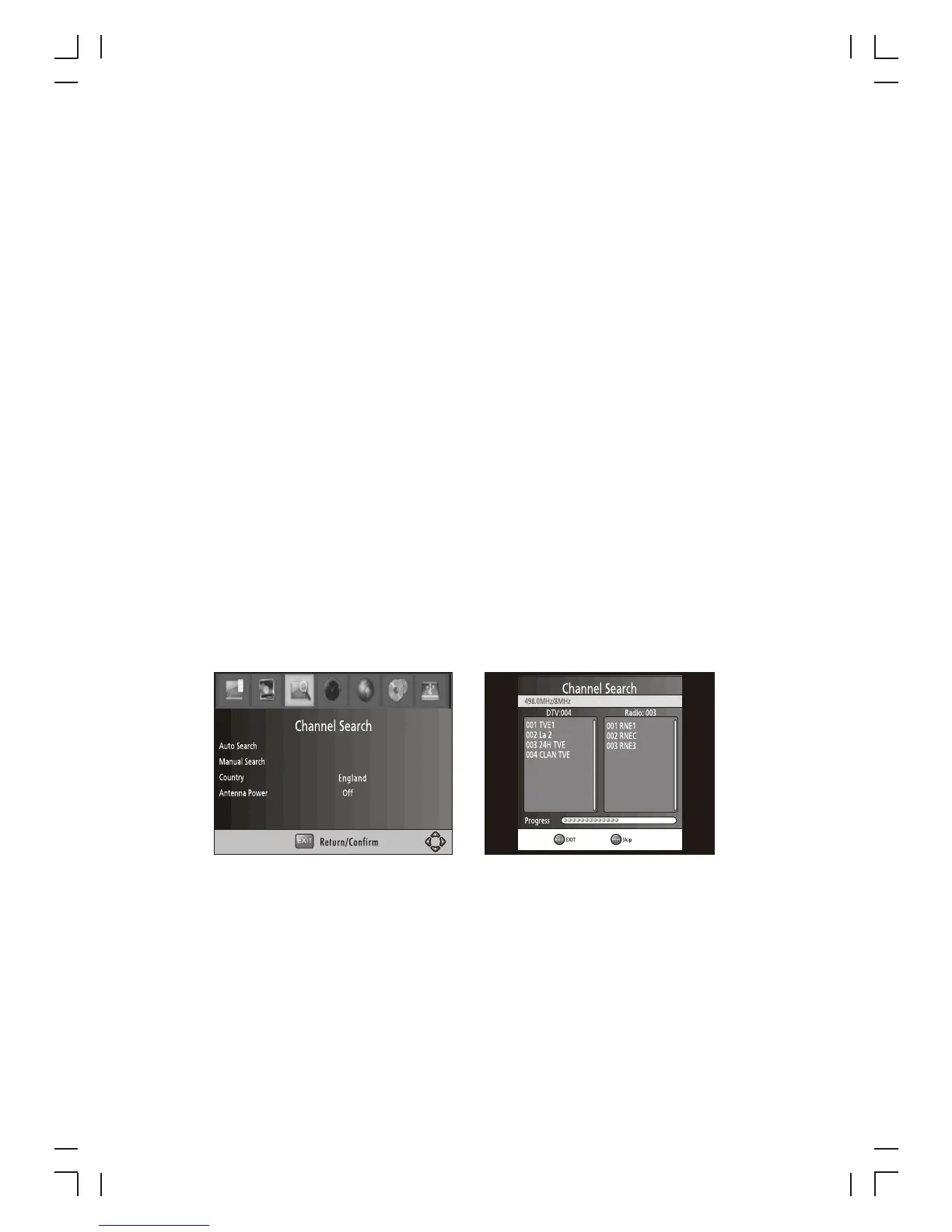
(7) Channel Search
and M
SC
s
to exit M
To access the menu, press MENU select [Search Channel]. The enu provides
options to adjust the earch hannel settings.
Select an option and press RIGHT/LEFT to adjust the setting .
Press EXIT the enu.
1 . Auto Search
Search and install all channels automatically. This option overwrites all preset
channels.
1. Select [Auto Search] and press OK or RIGHT to start channel search.
2. To cancel channel search, press EXIT.



 To Next Page