Page 12 AXIS 225FD Installation Guide
Setting the Password
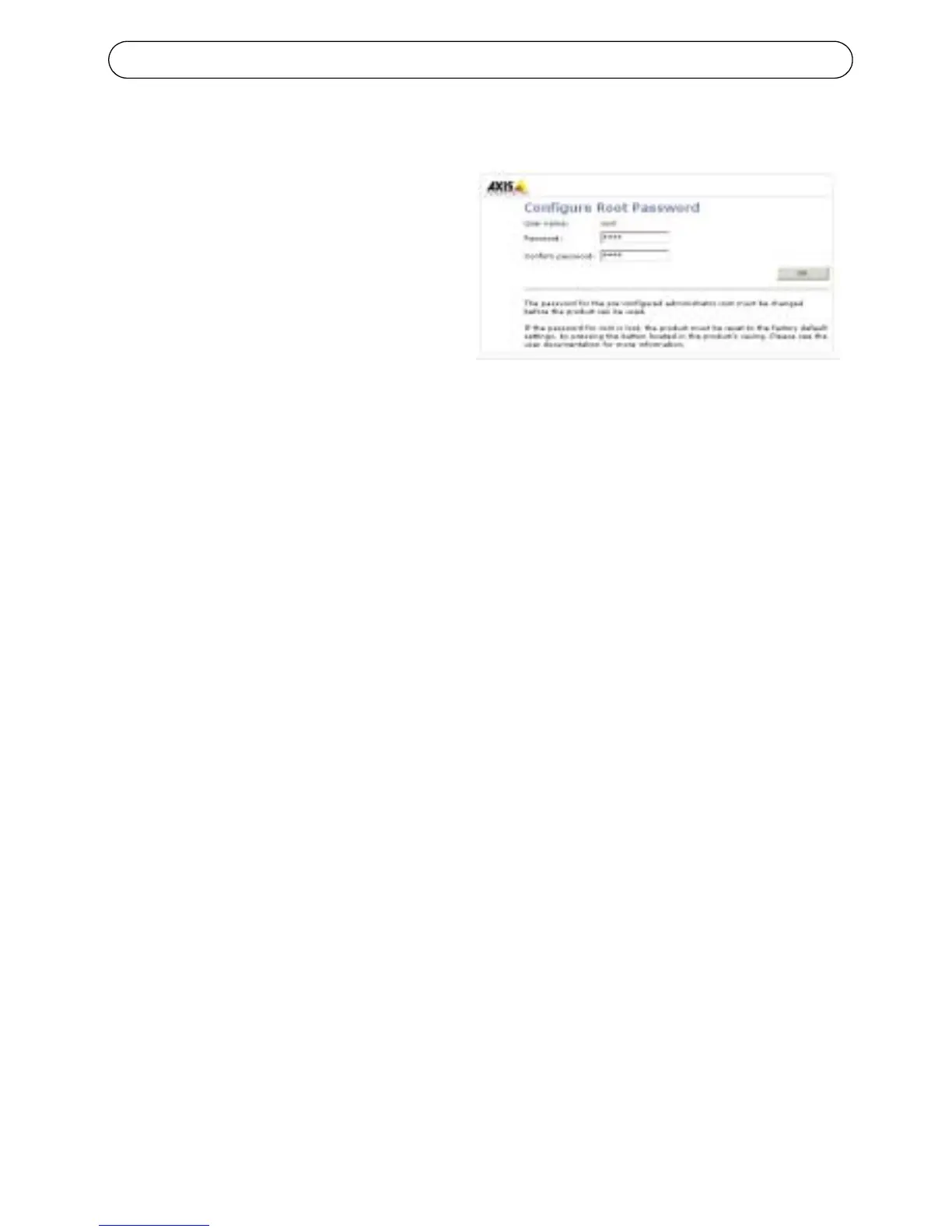
1. When accessing the AXIS
225FD for the first time, the
‘Configure Root Password’ dia
-
log will be displayed on the
screen.
2. Enter a password and then re-
enter it, to confirm the spelling.
Click OK.
3. The ‘Enter Network Password’ dialog will appear. Enter the User name:
root
Note: The default administrator user name root is permanent and cannot
be deleted.
4. Enter the password as set in step 2 above, and click OK. If the password
is lost, the AXIS 225FD must be reset to the factory default settings. See
page 16.
5. If required, click Yes to install AMC (AXIS Media Control), to allow
viewing of the video stream in your browser. You will need administrator
rights on the computer to do this.
6. The Live View page of the AXIS 225FD is displayed, complete with links
to the Setup tools, which allow you to customize the camera to your
specific needs.
7. Proceed to “Adjusting the image” on page 14 to set the focus and zoom
and complete the hardware installation.



 To Next Page