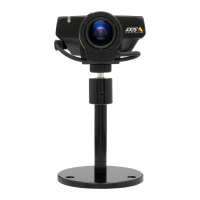
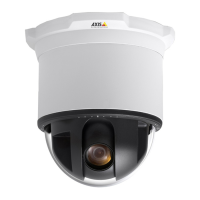
AXIS 225FD Installation Guide Page 7
Setting the IP address
The AXIS 225FD is designed for use on an Ethernet network and must be
assigned an IP address to make it accessible.
AXIS IP Utility
All installation methods
This table shows all of the available methods for setting or discovering the IP
address. Select a method from the left-hand column and check the
requirements for it
to the right.
Notes:
• UPnP™ and DHCP are both enabled by default in the AXIS 225FD.
• The AXIS 225FD has the default IP address 192.168.0.90
• To view the admin pages for the DHCP server, please see the server’s own
documentation. You may need to contact your network administrator.
• If setting the IP address fails, check that there is no firewall blocking the operation.
• AXIS Dynamic DNS Service requires an Internet connection without HTTP proxy.
• Bonjour - applicable only in browsers with support for Bonjour e.g. Safari.
AXIS IP Utility is the recommended method for setting an IP address in Windows. This free appli-
cation can be used on networks with or without a DHCP server. See page 7 for more information.
DHCP Server
in network
Install on
same network
segment
Operating system
AXIS IP Utility
(recommended method)
See page 8
Optional Required Windows
UPnP™
See page 9
Optional Required Windows (ME or XP)
Bonjour
See page 9
Optional Required Mac OSX (10.4 or later)
ARP/Ping
See page 10
Required All
AXIS Dynamic DNS Service
See page 11
Recommended All
View DHCP server
admin pages for IP address
(See note below)
Required All
Requirements
methods
Installation
ENGLISH



 To Next Page