AXISD2110-VESecurityRadar
Configureyourdevice
Configureyourdevice
Calibratetheradar
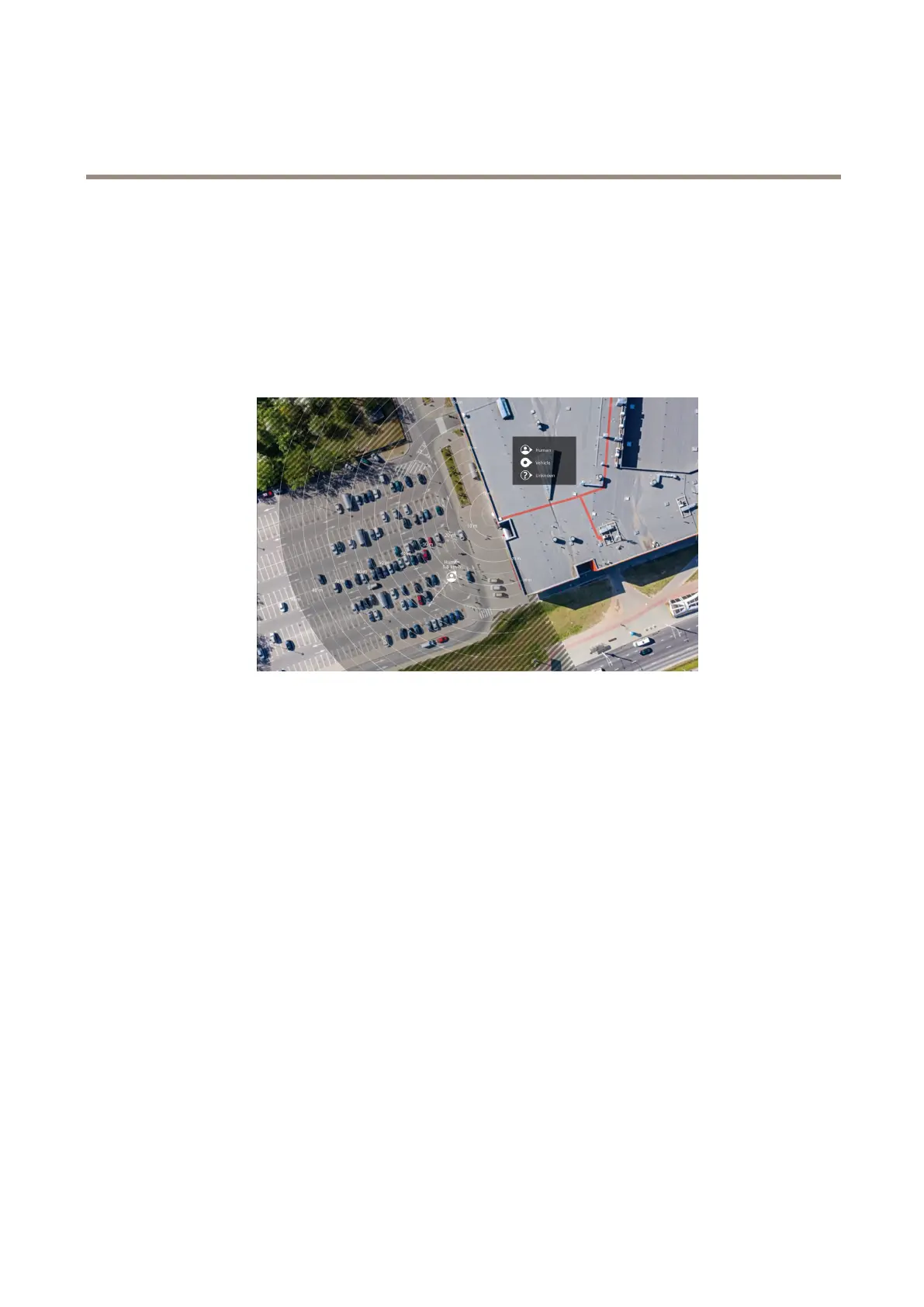
Theradarisreadytouseassoonasitisinstalled.Thedefaultliveviewwillshowtheradarcoverageandanydetectedmovement,and
youcanadddetectionzonesandrulesrightaway.
Iftheradarismounted3.5m(1 1ft)aboveground,thereisnoneedtodoanythingelse.Iftheradarismountedonadifferentheight
youneedtocalibratetheradartocompensateforthemountingheight.
Tomakeiteasiertoseewhereobjectsaremoving,youcanuploadareferencemap,forexampleagroundplanoranaerialphoto,
thatshowstheareacoveredbytheradar.
Imagerequirements:
•Supportedleformatsarejpegandpng.
•Theorientationisnotimportant,sincetheradarcoverageshapewillmovetoadapttotheimageduringcalibration.
Uploadareferencemap
Uploadthereferencemapandcalibrateitsothattheactualradarcoveragetstheposition,directionandscaleofthemap.
1.GotoRadar>Mapcalibration.
2.Uploadyourreferencemapandfollowthesetupassistant.
Setdetectionzones
Todeterminewheretodetectmotion,youcanaddmultiplezones.Differentzonescanbeusedtotriggerdifferentactions.
Therearetwotypesofzones:
•Ascenario(previouslycalledincludezone)isanareainwhichmovingobjectswilltriggerrules.Thedefaultscenario
matchestheentireareacoveredbytheradar.
•Anexcludezoneisanareainwhichmovingobjectswillbeignored.Useexcludezonesifthereareareasinsideascenario
thattriggeralotofunwantedalarms.
17


 To Next Page