AXISD2110-VESecurityRadar
Configureyourdevice
Example
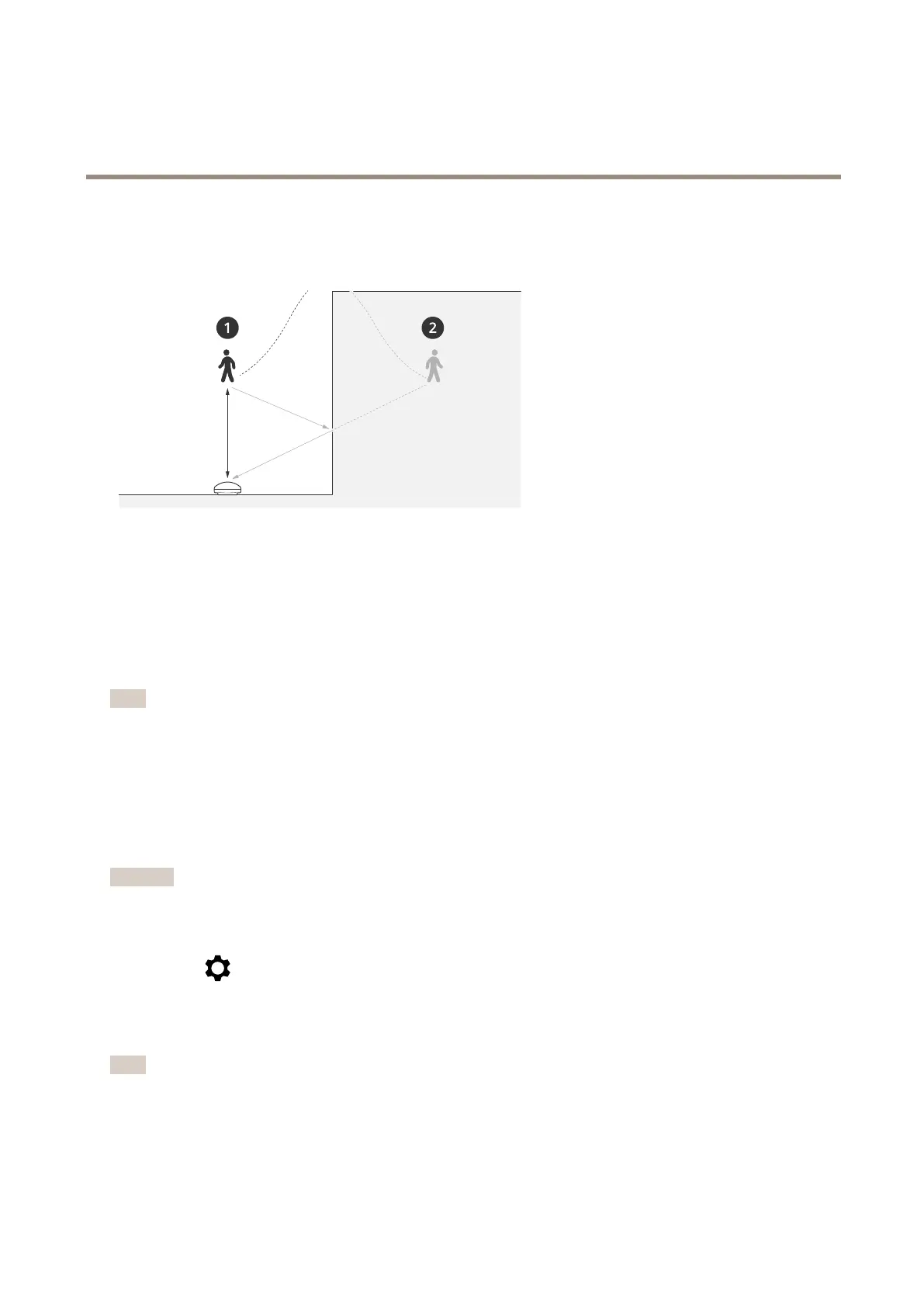
Objectsofradar-reectivematerials,suchasmetalroofs,fences,vehicles,andevenbrickwallsmaydisturbtheradar’sperformance.
Theymaycreatereections,orghosttracks,whichcauseapparentdetectionsthatcanbedifculttoseparatefromrealdetections.
1
Actualdetection
2
Reecteddetection
Addanexcludezone:
1.GotoRadar>Excludezones.
2.ClickAddexcludezone.
Usethemousetomoveandshapethezonesothatitcoversthedesiredpartoftheradarimageorreferencemap.
Note
Fromrmwareversion1 1.4,therearenolongeranylimitationsonthenumberofexcludezones.
Viewandrecordvideo
Thissectionincludesinstructionsaboutconguringyourdevice.Tolearnmoreabouthowstreamingandstorageworks,goto
Streamingandstorageonpage51.
Reducebandwidthandstorage
Important
Reducingthebandwidthcanresultinlossofdetailsintheimage.
1.GotoRadar>Stream.
2.Click
intheliveview.
3.SelectVideoformatH.264.
4.GotoRadar>Stream>GeneralandincreaseCompression.
Note
Mostwebbrowsersdon’tsupportH.265decodingandbecauseofthisthedevicedoesn’tsupportitinitswebinterface.
InsteadyoucanuseavideomanagementsystemorapplicationthatsupportsH.265decoding.
19


 To Next Page