AXISP1367-ENetworkCamera
8.Ifapplicable,connectexternalI/Odevicesoraudiodevicestothecamera.
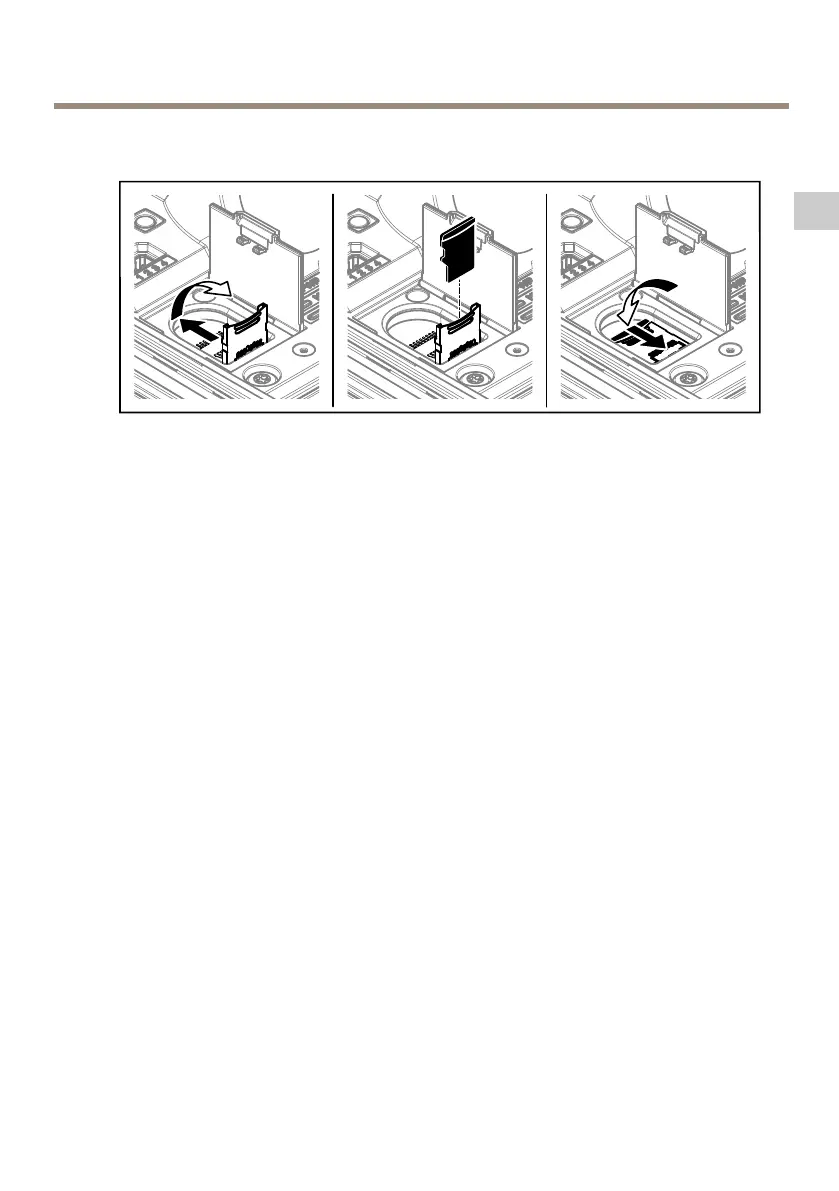
9.IfusinganSDcardforlocalstorage,insertthecardintothecamera’sSDcardslot.
10.Connectthenetworkcable.
11.MakesurethatthecameraLEDsindicatethecorrectcondition.SeeLEDIndicatorson
page25.
12.Loosenthebracketadjustmentscrewtoaimthecameratothepointofinterest.For
informationabouthowtoviewthevideostream,seeHowtoaccesstheproducton
page20
13.Setfocusandzoom,seeHowtoadjustfocusandzoomonpage21
14.Ondelivery,thelensispositionedcorrectlyforIK10.Ifyoumoveorreplacethelens,
youneedtorepositiontheopticalassemblytoensureIK10,seeHowtopositionthe
lensforIK10onpage20.
17
EN



 To Next Page