AXIS P1368-E Network Camera
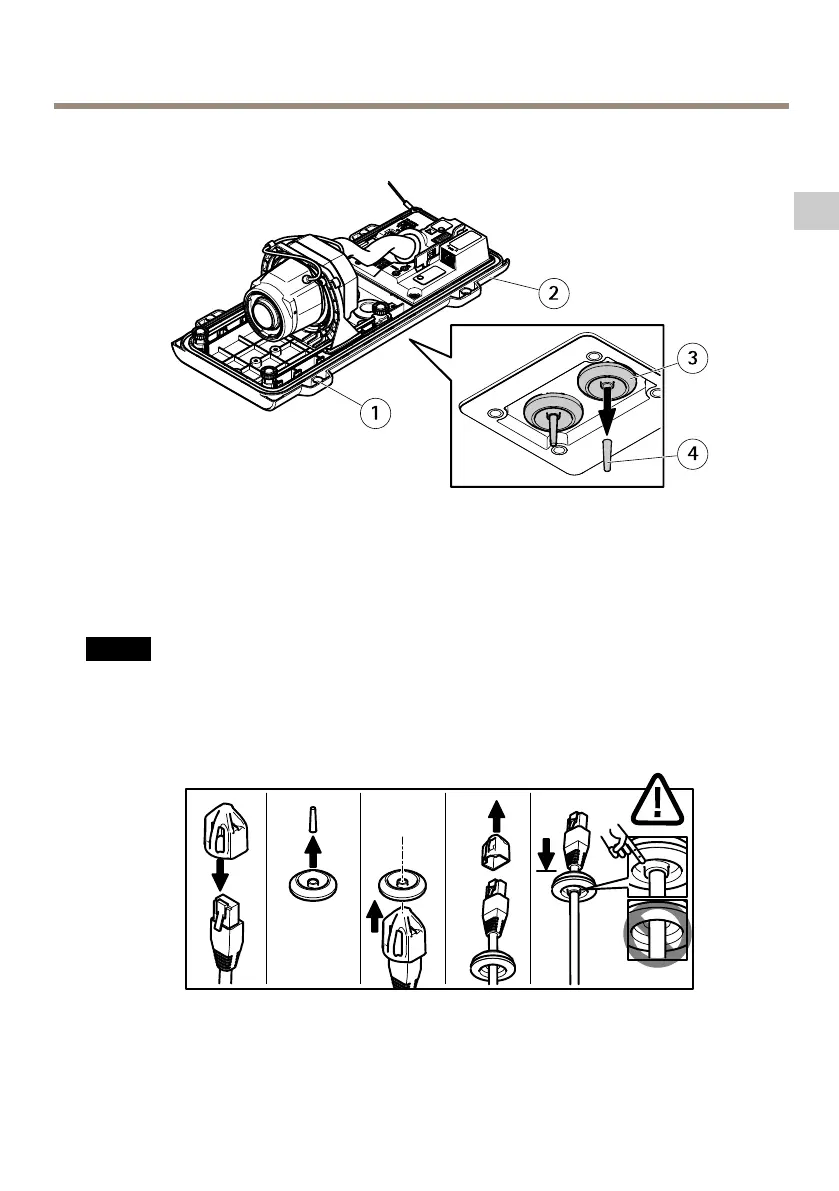
2. Select which cable gasket to use and pull the tab to open a hole for the network cable.
1
Bottom cover
2
Bottom cover screw T20 (4x)
3
Cable gasket M20 (2x)
4
Tab
3. Push the network cable through the cable gasket.
EN
NONO
NO
TICETICE
TICE
If the network cable has a premounted network connector, remove the cable gasket and
use the connector guard to prevent tearing of the cable gasket. Avoid using network
cables with capped network connectors because they could cause tearing of the cable
gasket despite using the connector guard.
4. Pull the network cable back slightly so that the cable gasket adjusts itself on the cable.
15
Available from A1 Security Cameras
www.a1securitycameras.com email: sales@a1securitycameras.com



 To Next Page